Set reverse DNS for your server
What reverse DNS (PTR) records are, when you need one, how to set one in the panel or with vps9, and how to check it with dig.
To set reverse DNS (a PTR record) for your server, create the name's A record at your DNS host first, then open the server's Reverse DNS tab in the panel, type the name and press set reverse dns. Reverse DNS turns an address back into a name, 203.0.113.42 to mail.example.com; the address is ours, so the record is set through VPSNine rather than at your DNS host.
What you need
- A domain name whose DNS you can edit.
- The server's addresses, from the top of its page in the panel.
- Ten minutes, plus up to a working day for the record to go live.
When you need it
You need it if you send email from the server. Plenty of mail servers reject or junk mail from an address with no reverse DNS, or whose reverse name doesn't point back to the same address. Set it before you send anything, and read Sending email: port 25 too.
It's also nice in logs and traceroute output, where a name is easier to recognise than a number. For a plain web server, though, you can skip it.
Create the forward record first
The reverse record should match a forward one, so start there (point a domain at your VPS walks through it). At your DNS provider:
mail.example.com.  A     203.0.113.42
mail.example.com.  AAAA  2001:db8:9::2
Check it from your computer:
dig +short mail.example.com AIt has to return your server's address before you go on.
Set the reverse record
- In the panel, open the server and choose the Reverse DNS tab.
- Find the box for the address: one for IPv4, and one for IPv6 if the server has it.
- Type the name in hostname, like
mail.example.com, and press set reverse dns.
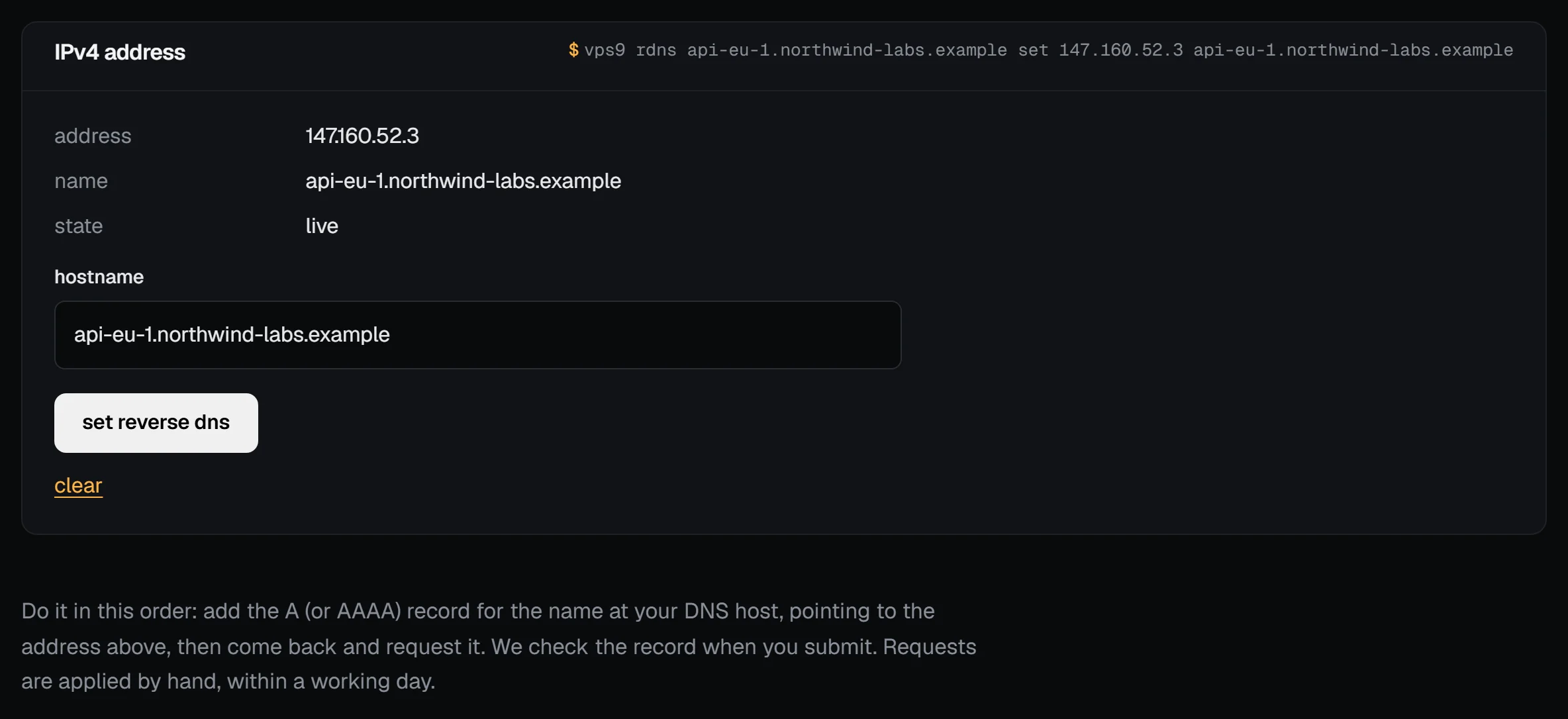
With the vps9 CLI, it's one command per address:
vps9 rdns web-1 set 203.0.113.42 mail.example.com
vps9 rdns web-1 set 2001:db8:9::2 mail.example.com
Before we accept the name, we look it up and check that it points to that address: the A record for the IPv4 address, AAAA for IPv6. If the name has no such record, points somewhere else, or doesn't answer within 3 seconds, you get a message saying which, and nothing changes. Fix the forward record, give it a minute, and try again.
Reverse records are set by hand for now. A request shows as requested, waiting to be set until it's done, usually within a working day, and then as live. To take a name off, press clear in the panel or run vps9 rdns web-1 rm 203.0.113.42. It shows as being removed until we've reset it.
You get ten tries an hour across your account. Clears count, and so do tries the forward check refuses. When you delete a server, we reset its reverse DNS before its addresses go to anyone else.
Check it
dig +short -x 203.0.113.42
dig +short -x 2001:db8:9::2
Once the panel says live, each should print mail.example.com., trailing dot included. Resolvers can hang on to the old answer for up to the record's TTL.
Then close the loop:
dig +short mail.example.com AThat should give back the same address you started with. Mail servers call this forward-confirmed reverse DNS, and it's what they actually check.
Troubleshooting
- The name is refused because it doesn't point to the address. The forward check found no
A(orAAAA) record, or one with another address, or no answer within 3 seconds. Fix the record at your DNS host, wait a minute, and try again. dig -xstill shows nothing or the old name. Your resolver has it cached; wait out the TTL.- The reverse name doesn't resolve back. The forward
AorAAAArecord is the one to fix. - Still waiting after a working day, or failed. Open a support ticket with the address.
Next steps
Doing it on VPSNine
Reverse DNS is free on every plan, for the main IPv4 and IPv6 addresses.