API quickstart
Your first VPSNine API calls in curl, JavaScript, Python, the TypeScript SDK and the vps9 CLI, side by side: list servers, reboot one, read errors.
To call the VPSNine API, send a request to https://my.vpsnine.com/api/v1 with your API token in an Authorization: Bearer header; answers are JSON. Below, the same calls are shown in curl, JavaScript, Python, the TypeScript SDK and the vps9 CLI, so you can start in whichever you use.
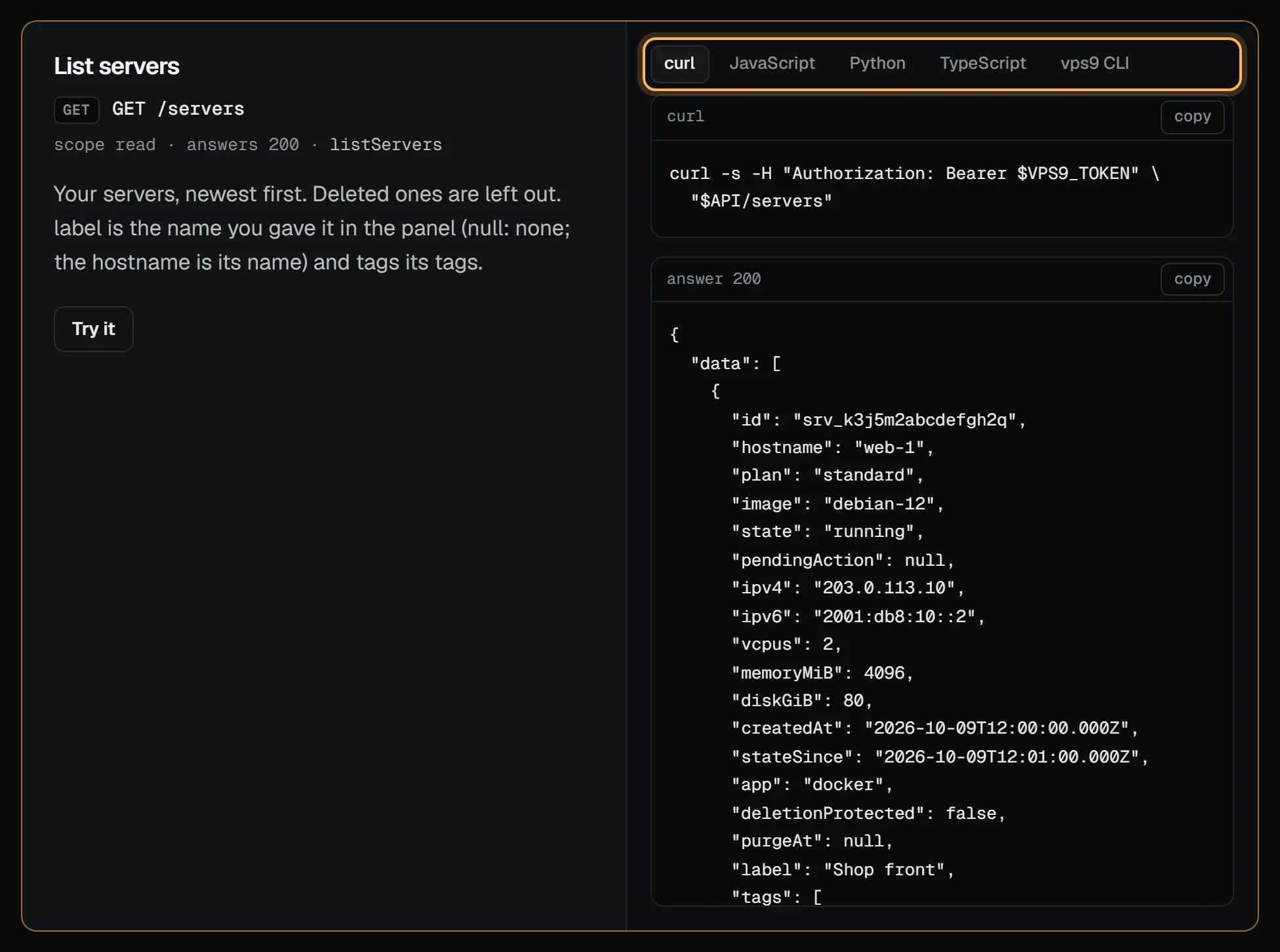
The API covers your account, SSH keys, servers, firewalls, snapshots, reverse DNS, invoices, webhooks and more. The full reference lists every endpoint with an example in each language and a Try it button, and the vps9 CLI uses this same API.
What you need
- An API token, made under tokens in the panel.
- One of:
curl(withjqto make the output readable:apt install -y jq), Node.js 18 or later, Python 3 withrequests, or the vps9 CLI.
Set up
Make a token under tokens in the panel. read only can make every GET request. Anything that changes something, like adding a key or rebooting a server, needs read and write.
Read the token from a file so it stays out of your shell history (Create and use API tokens shows how to store it):
export VPS9_TOKEN="$(cat ~/.vps9-token)"
API=https://my.vpsnine.com/api/v1
Then ask who you are:
curl -s -H "Authorization: Bearer $VPS9_TOKEN" "$API/me"{"id":"usr_…","email":"you@example.com","emailVerified":true,"createdAt":"2026-10-09T12:00:00.000Z"}If that comes back, your token works.
The same calls in five tools
List your servers. The JavaScript and Python versions read the token from VPS9_TOKEN and stop with the API's error code, message and request id if something is wrong:
curl -s -H "Authorization: Bearer $VPS9_TOKEN" "$API/servers" | jq -r '.data[] | "\(.hostname) \(.state) \(.ipv4)"'// servers.mjs: node servers.mjs (Node 18 or later; fetch is built in)
const API = process.env.VPS9_API_URL ?? "https://my.vpsnine.com/api/v1";
const headers = { Authorization: `Bearer ${process.env.VPS9_TOKEN}` };
const res = await fetch(`${API}/servers`, { headers });
const body = await res.json();
if (!res.ok) throw new Error(`${body.error.code}: ${body.error.message} (${body.error.requestId})`);
for (const s of body.data) console.log(s.hostname, s.state, s.ipv4);# servers.py: python3 servers.py (pip install requests)
import os
import requests
API = os.environ.get("VPS9_API_URL", "https://my.vpsnine.com/api/v1")
headers = {"Authorization": f"Bearer {os.environ['VPS9_TOKEN']}"}
res = requests.get(f"{API}/servers", headers=headers, timeout=30)
body = res.json()
if not res.ok:
raise SystemExit(f"{body['error']['code']}: {body['error']['message']} ({body['error']['requestId']})")
for s in body["data"]:
print(s["hostname"], s["state"], s["ipv4"])// With the TypeScript SDK (not on npm yet; see the SDK tutorial)
import { Vps9 } from "@vpsnine/sdk";
const vps9 = new Vps9(); // reads VPS9_TOKEN
for (const s of (await vps9.listServers()).data) console.log(s.hostname, s.state, s.ipv4);vps9 serversReboot one. It answers 202 at once with pendingAction set to reboot:
curl -s -X POST -H "Authorization: Bearer $VPS9_TOKEN" -H "Content-Type: application/json" \
-d '{"action":"reboot"}' "$API/servers/srv_…/actions"const res = await fetch(`${API}/servers/srv_…/actions`, {
method: "POST",
headers: { Authorization: `Bearer ${process.env.VPS9_TOKEN}`, "Content-Type": "application/json" },
body: JSON.stringify({ action: "reboot" }),
});
console.log(res.status, (await res.json()).pendingAction);res = requests.post(
f"{API}/servers/srv_…/actions",
headers={"Authorization": f"Bearer {os.environ['VPS9_TOKEN']}"},
json={"action": "reboot"},
timeout=30,
)
print(res.status_code, res.json()["pendingAction"])await vps9.serverAction("srv_…", { action: "reboot" });vps9 servers reboot web-1We ran each of these against a local copy of the API (Node 18 and 22, Python 3.12, curl 8.5 with jq 1.7, and the vps9 CLI built from the same source) before publishing them. requests sets Content-Type: application/json for you when you pass json=; with fetch and curl you set it yourself, or the API answers 415.
SSH keys
List them:
curl -s -H "Authorization: Bearer $VPS9_TOKEN" "$API/ssh-keys"You get an object with a data list. Each key has an id, name, type, fingerprint, publicKey and createdAt. With jq, just the names and fingerprints:
curl -s -H "Authorization: Bearer $VPS9_TOKEN" "$API/ssh-keys" | jq -r '.data[] | "\(.name) \(.fingerprint)"'Add one. Let jq build the JSON so the key text gets quoted properly:
jq -n --arg name laptop --arg key "$(cat ~/.ssh/id_ed25519.pub)" '{name: $name, publicKey: $key}' |
  curl -s -X POST -H "Authorization: Bearer $VPS9_TOKEN" -H "Content-Type: application/json" --data @- "$API/ssh-keys"
A new key comes back with status 201 and its id. The rules match the panel: Ed25519, ECDSA, or RSA of 2048 bits or more, one key per request, 50 at most. name is optional.
Delete one by its id:
curl -s -X DELETE -H "Authorization: Bearer $VPS9_TOKEN" "$API/ssh-keys/key_…"That returns 204 and no body.
Servers
List them, showing the id, hostname and state:
curl -s -H "Authorization: Bearer $VPS9_TOKEN" "$API/servers" | jq -r '.data[] | "\(.id) \(.hostname) \(.state)"'Reboot one by its id:
curl -s -X POST -H "Authorization: Bearer $VPS9_TOKEN" -H "Content-Type: application/json" \
  -d '{"action":"reboot"}' "$API/servers/srv_…/actions"
It answers 202 straight away, with the server's pendingAction set to reboot. The reboot itself happens in the background, so fetch the server again to see when it's done. start, stop, reinstall and delete work the same way. The API doesn't ask you to confirm a reinstall or delete, so check the id first.
Orders open at launch. When they do, POST /servers places one. Send an Idempotency-Key header with a value you choose, a UUID for example, and keep it until you get an answer. If the request times out, send it again with the same key, and you get the order you already placed instead of a second one.
An order can also name a one-click app in app, a list of extra distribution packages in packages (20 at most) and a first-boot script in setupScript (16 KiB at most). All three are optional:
{"plan":"standard","image":"ubuntu-24.04","hostname":"web-1","sshKeyIds":["key_…"],"app":"docker","packages":["htop"],"setupScript":"#!/bin/bash\nset -eu\n…"}Extra packages and setup scripts shows how to send a script file with jq.
When it says no
Errors are JSON too, with a code you can match on and a message meant for people:
{"error":{"code":"insufficient_scope","message":"This token does not have the write scope.","requestId":"req_7d2kq4m5x3n6p2r4s7t2v3w4"}}requestId is also in the X-Request-Id header of every answer. Put it in a support ticket and we can find that exact request. Developers covers request ids, rate-limit headers and safe retries.
| Status | Code | What it means |
|---|---|---|
| 401 | unauthorized |
Token missing, wrong, revoked or expired. |
| 400 | invalid_json |
The body isn't valid JSON. |
| 403 | insufficient_scope |
A read-only token tried to change something. |
| 403 | email_unverified |
Ordering needs a confirmed email address. Confirm it first. |
| 404 | not_found |
No such key or server, or no such endpoint. |
| 405 | method_not_allowed |
The path exists, but not with that method. The Allow header lists the ones it takes. |
| 409 | duplicate_key |
That key's already on your account. |
| 409 | action_pending, invalid_state |
The server is busy with another action, or in a state where that action can't run. |
| 413 | body_too_large |
Bodies are 16 KB at most, or 64 KB for POST /servers and server actions, which can carry a setup script. |
| 415 | unsupported_media_type |
A body sent without -H "Content-Type: application/json". Plain curl -d sends a form, which the API refuses. |
| 422 | invalid_request |
The body isn't a JSON object, or has a field the endpoint doesn't know or of the wrong type (a number where text goes, say). |
| 422 | invalid_key, invalid_name, too_many_keys |
The key or name was refused; the message says why. |
| 429 | rate_limited |
Over 60 requests a minute on this token, or 120 across all your account's tokens. Wait the Retry-After seconds. |
Add -i to any of these curl commands to see the status line and headers. And don't bother trying a browser cookie: the API ignores cookies entirely. A token is the only way in.
Next steps
- Use curl and jq with the VPSNine API: filtering, waiting, paging and firewall edits from a shell.
- Script your infrastructure with the TypeScript SDK.
- Use the OpenAPI spec to generate a client in another language.
- Rate limits and request ids and idempotent orders.
- The plans an order can name.