Create and use API tokens
API tokens let scripts and the vps9 CLI use the API as you. How to create one with the right scope and expiry, store it safely and revoke it.
An API token lets a script, a CI job or the vps9 command-line tool use the VPSNine API as you, without your password. You make one in the panel at my.vpsnine.com/account/api-tokens with a scope, an expiry and optionally the addresses it may be used from, and it is shown once.
The API covers your account, SSH keys, servers, firewalls, snapshots, reverse DNS and invoices. The API quickstart has examples you can paste.
Create one
- Log in and open Account → API tokens.
- Give it a Name that says what uses it:
laptop CLI,CI deploy, that sort of thing. - Pick a Scope. read only can look but not touch. read and write can also add and delete.
- Pick when it Expires: 30 days, 90 days (the default), a year, or never.
- Optionally, list the addresses it may be used from in Only from these addresses: one address or range per line, like
203.0.113.0/24or2001:db8::/48. From anywhere else the API answers403 ip_not_allowed. Leave it empty to allow any address. Restrict an API token to IP ranges has the details. - Type Your password. We ask for it so that someone who only has your logged-in browser can't make a token.
- Choose create token.
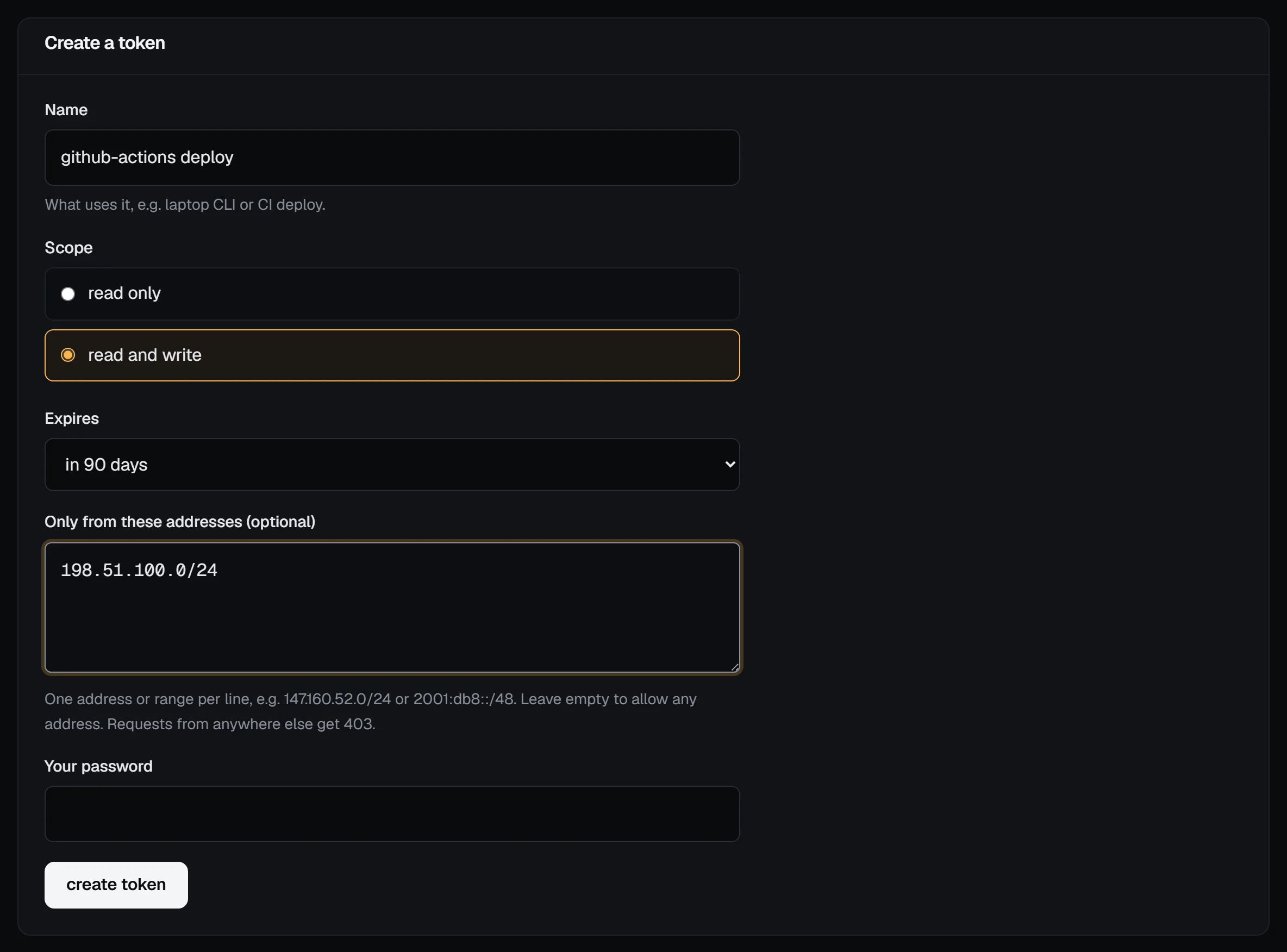
You need a confirmed email address to create a token. An account can hold 10 live tokens at a time; revoke one you no longer use to make room.
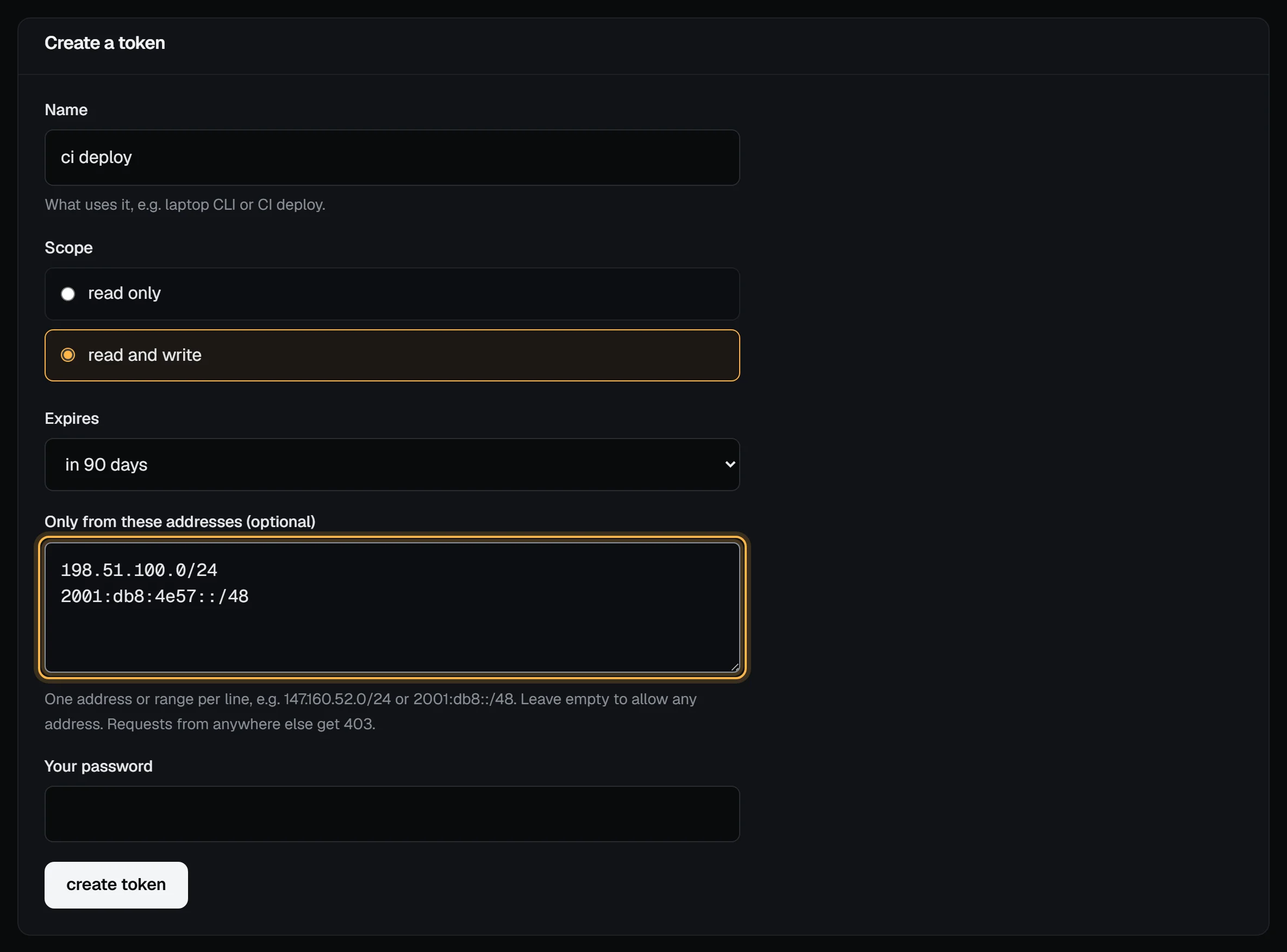
The token appears once, starting with vps9_. Copy it now. We only keep a hash, so we can't show it again; if you lose it, revoke it and make another.
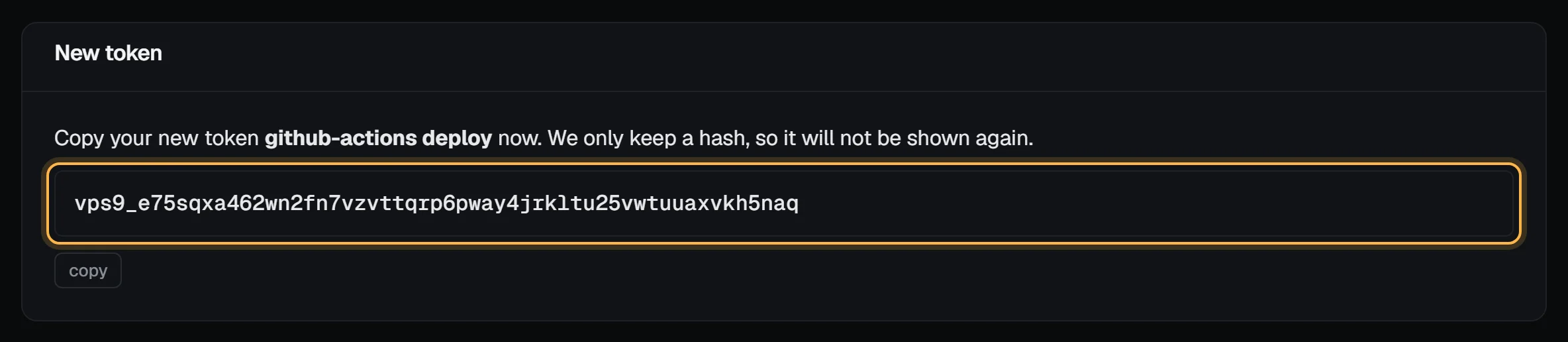
Check it worked
Ask the API who you are with the new token. A 200 with your email means the token, its scope and its address limit all let the request through:
export VPS9_TOKEN="$(cat ~/.vps9-token)"
curl -s -H "Authorization: Bearer $VPS9_TOKEN" https://my.vpsnine.com/api/v1/me
The answer also names the account the token acts on and your role there, which matters if you belong to a team.
We email you whenever a token is created, so one you didn't make won't go unnoticed.
Limits
Each token can make 60 requests a minute, and the whole account 120 a minute across all its tokens. Past either, the API answers 429 rate_limited with a Retry-After header.
Passwords and tokens
Tokens are separate from your password. Changing your password while logged in signs out your other sessions but leaves tokens working, so a routine change doesn't break your scripts. Resetting a forgotten password with an emailed link revokes every token, because a forgotten password might also be a stolen one; make new ones afterwards.
A few habits that help
Use read only for anything that just reports, like a monitoring script. Make one token per machine or script, so a leak means revoking one token rather than breaking everything. And give tokens an expiry where you can, and limit a token to your addresses when it only ever runs from known machines (a CI runner, a server). A token that dies on its own can't sit forgotten in an old backup for years.
Keep it out of sight
A token can do whatever its scope allows, as you. So keep it out of shell history, code and Git.
A file only you can read works well. Create it, then paste the token in with the editor:
install -m 600 /dev/null ~/.vps9-token
nano ~/.vps9-token
If the file sits inside a project folder, make sure Git can never pick it up:
echo '.vps9-token' >> .gitignoreIn CI, use the system's secret store rather than a value in a committed file.
Revoking
The token list shows each token's name, its first few characters (vps9_abcd…), scopes, when it was created, when it was last used, when it expires, and the addresses it works from. Revoked and expired tokens drop off the list.
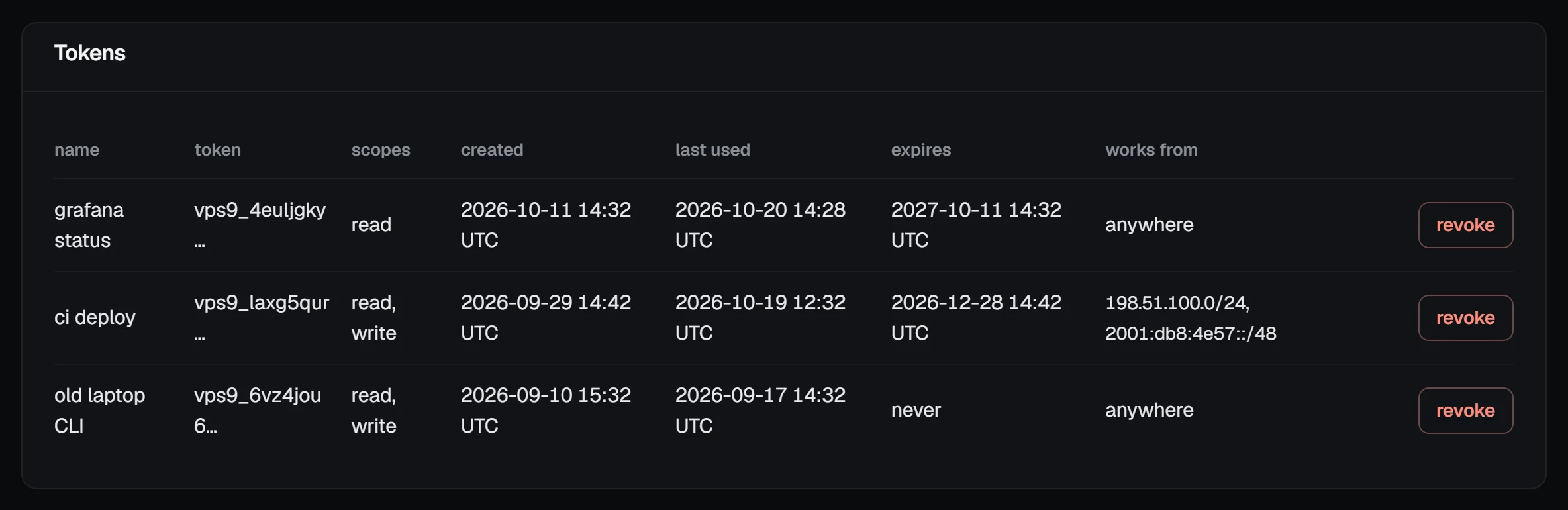
revoke stops a token immediately. Do it when a laptop or server holding it is lost, sold or rebuilt; when it might have been committed somewhere, private repos included; when someone who knew it moves on; or when last used shows activity you can't account for.
If a token has leaked, revoke it first and make the replacement second. Then look over the activity log and your SSH keys for anything you didn't do. If you find something, change your password and open a support ticket straight away.
Troubleshooting
Every refusal is JSON with a code you can match on. The common ones for tokens:
| Answer | What it means | Fix |
|---|---|---|
401 unauthorized: "Send a valid API token: Authorization: Bearer vps9_…" |
The token is missing, mistyped, revoked or expired, or the header isn't Authorization: Bearer …. |
Check for a stray newline or quote in the secret, then make a new token if it was revoked or expired. |
403 insufficient_scope: "This token does not have the write scope." |
A read-only token tried to change something. | Make a read-and-write token for that job. |
403 ip_not_allowed: "This token only works from 198.51.100.0/24; this request came from 203.0.113.7." |
The request came from outside the token's addresses. The message names the address we saw. | Add that range, or make a token without a limit for machines whose address changes. |
403 forbidden_role |
Your role on a team account can't do this, whatever the token's scope. | Ask an owner or admin to change your role. |
Next steps
- API tokens for CI and automation: one token per job, address limits, expiry and rotation.
- API quickstart: first calls in curl, JavaScript, Python, the SDK and the CLI.
- Rate limits and request ids.
- Install the vps9 CLI
- Restrict an API token to IP ranges
- Check your account in the security center