See where you are logged in and recent activity
Check your active panel sessions, sign out a lost device or everywhere else at once, and read the activity log of logins and security changes.
Every browser signed in to your VPSNine login is listed under Where you're signed in in the security center, with its address and when it was last seen, and you can sign any of them out. The activity log lists your last 50 sign-in and security events. Worth a glance now and then, and definitely after you've used a computer that isn't yours.
What you need
- A VPSNine login. Sessions and the activity log are about your own login, whichever team account you have open.
Who's logged in
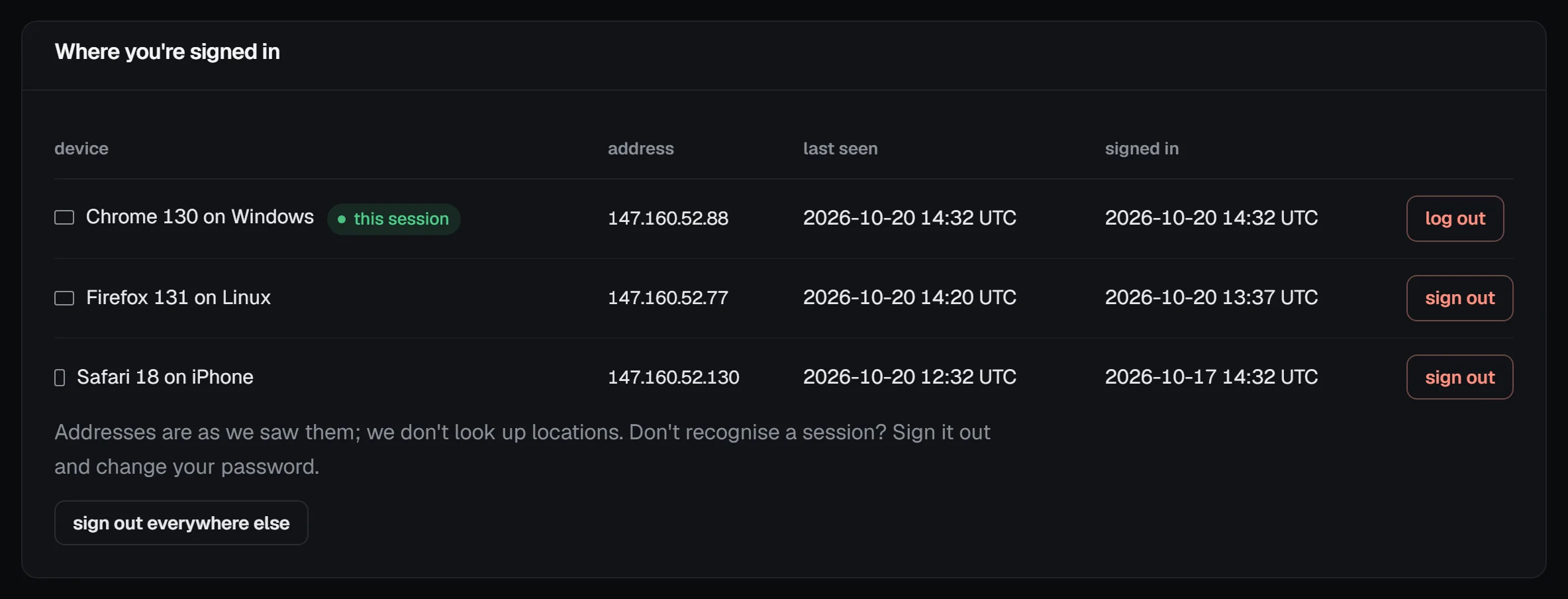
Open Account → Security (the Account overview's sessions line links there too). Each signed-in browser has a row: the device (something like "Firefox 131 on Linux", with an icon for computer or phone), the address it last came from, when it was last seen, and when it signed in. Yours is marked this session.
Sessions end on their own after 14 days without use, and after 30 days at most, however often you use them. Then you just log in again.
To sign out a device:
- sign out on its row signs out that one browser. It finds out the next time it loads a page.
- sign out everywhere else signs out every browser except the one you're using.
- log out on your own row, or Log out at the top of any page, ends your current session.
Check it worked
The row disappears from the list, and a Session signed out (or Signed out everywhere else) line appears in the activity log.
Changing your password signs out every other session too, but leaves your API tokens working. Resetting a forgotten one signs out all of them and revokes every API token.
New sign-in emails
When your login is used from a browser it hasn't seen before, we email you the browser, address and time, and it shows in the panel's bell. A sign-in from a browser you've used before but from a new address gets one notice too ("Login from a new address"), never both for the same sign-in. We send at most three new-browser emails an hour; the bell shows every one. Clearing your cookies makes a browser new again, so expect one after that.
If it was you, there's nothing to do. If it wasn't, follow Something you don't recognise below.
The activity log
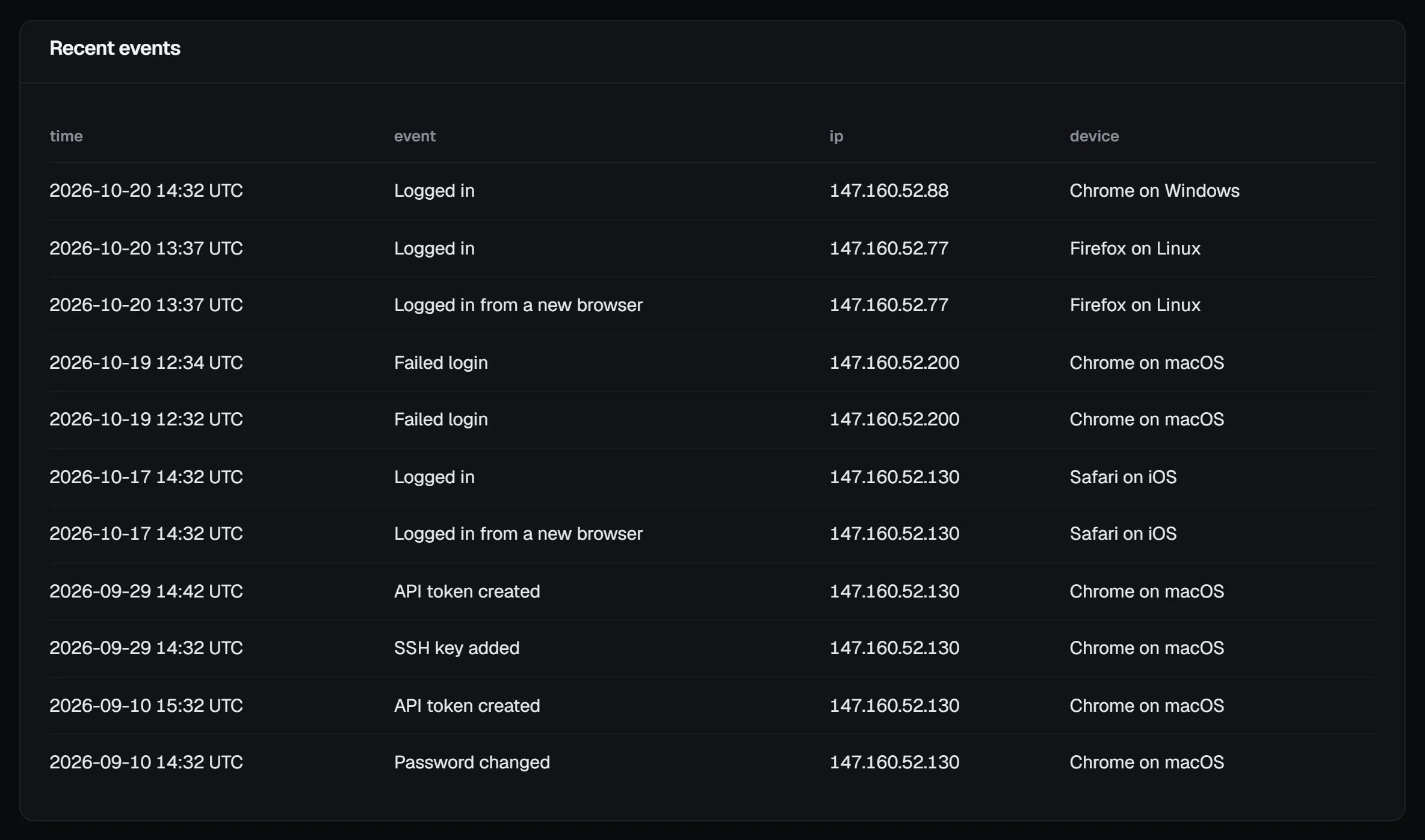
Choose activity log on the Account overview, or full activity log under the security center's timeline, to see the last 50 sign-in and security events, newest first, each with the time, address and device.
That covers:
- logins, failed logins, and logins blocked after too many failures;
- wrong 2FA codes, and recovery codes used;
- password changes and reset requests;
- 2FA turned on or off, and sessions signed out;
- SSH keys added or deleted, API tokens created or revoked;
- passkeys added, removed or refused, recovery codes made, email changes, and downloads of your data.
On a team, changes made on the account itself (servers, billing, the team) are in the team's account activity, with who made each one.
Something you don't recognise
A few Failed login lines from addresses you don't know are usually just bots trying common passwords. With a decent password and 2FA, they get nowhere, and you can ignore them.
A Logged in you didn't do, or a change you didn't make, is different. Then:
- Choose sign out everywhere else.
- Change your password.
- Turn on two-factor authentication if it's off.
- Revoke any API token you didn't create, and delete any SSH key you don't recognise.
- Open a support ticket and tell us what you saw, even if it turns out to be nothing.
When support looks at your panel
To answer a support ticket, a member of our staff can sometimes look at your panel the way you see it. They can only look: nothing they click there changes anything, and pages like the serial console, 2FA setup and ordering stay closed to them. A view lasts at most 30 minutes, they have to give a reason, and every page they open is written to our internal audit log. They never use or see your password, your sessions or your 2FA codes, so a staff view doesn't show up in your sessions list.