Heartbeat monitoring for cron jobs
Have a cron job or script call a unique URL when it finishes, and get an alert when the call doesn't arrive on time or the job reports a failure.
A heartbeat monitor watches something that runs on a schedule, like a nightly backup or an hourly import. Instead of us checking your server, your job calls a unique URL each time it finishes. If a call doesn't arrive on time, the monitor goes down and you are told. It catches what an uptime check can't: a job that silently stopped running.
Set one up
- In the panel, open Monitoring, choose new monitor and pick Heartbeat.
- Give it a name, like Nightly backup.
- Choose how often the job runs (from every minute to every 7 days) and a grace period: how late a ping may be before it counts as missed.
- Choose add monitor. The monitor's page shows its ping URL.
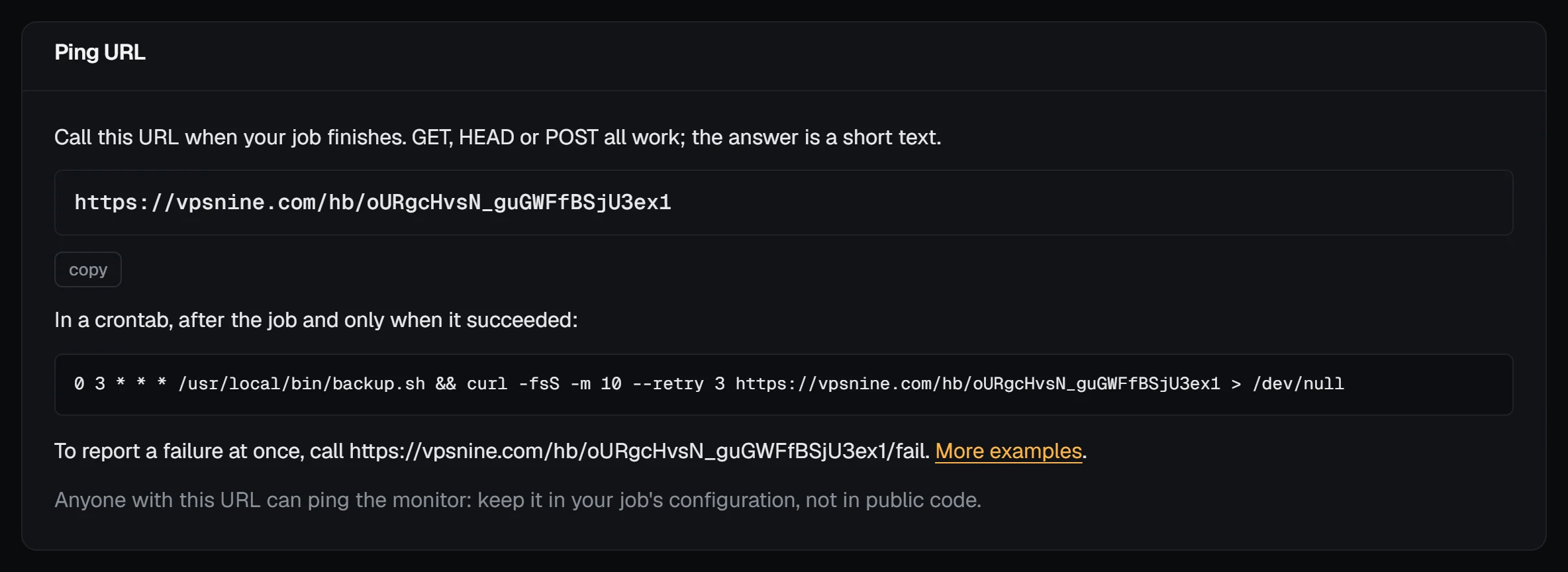
The monitor waits for the first ping before it starts counting, so you can add it before the job first runs.
Call the URL from your job
Add a call at the end of the job, run only when the job succeeded. In a crontab:
0 3 * * * /usr/local/bin/backup.sh && curl -fsS -m 10 --retry 3 https://vpsnine.com/hb/YOUR-TOKEN > /dev/null&& sends the ping only when the script exits with 0. -m 10 gives up after 10 seconds and --retry 3 tries again if the network blips. GET, HEAD and POST all work; the answer is OK and nothing you send is stored.
In a script, the same at the end:
#!/bin/sh
set -e
pg_dump shop | gzip > /var/backups/shop-$(date +%F).sql.gz
curl -fsS -m 10 --retry 3 https://vpsnine.com/hb/YOUR-TOKEN > /dev/null
If curl isn't installed, wget -q -O /dev/null https://vpsnine.com/hb/YOUR-TOKEN does the same.
Report a failure at once
To be told straight away that a run failed, rather than waiting for the grace period, call the same URL with /fail on the end:
/usr/local/bin/backup.sh && curl -fsS -m 10 https://vpsnine.com/hb/YOUR-TOKEN || curl -fsS -m 10 https://vpsnine.com/hb/YOUR-TOKEN/failThe monitor goes down at once with the cause "the job reported a failure". The next normal ping brings it back up.
When you are alerted
The monitor is checked every minute. It goes down once the last ping is older than the period plus the grace period: for a daily job with an hour's grace, 25 hours after the last ping. You get one notice when it goes down and one when the next ping arrives, in the panel, by email and to webhooks, the same as other monitors.
Pick the grace period from how long the job takes and how much its start time varies. A backup that takes 20 minutes and runs at 03:00 is safe with a grace of 1 hour.
Keep the URL private
The token in the URL is the only thing that identifies the monitor: anyone who has it can ping it. Keep it in the job's configuration or an environment variable, not in a public repository. If it leaks, delete the monitor and add a new one: the new one gets a new URL. Pings are limited to 120 a minute per address.