Schedule reboots and power windows
Reboot a server every day or every week at an hour you choose, and stop it during the hours you don't need it, in your own time zone.
A power schedule reboots your server on a schedule, and can stop it during hours you don't use it (a development box at night, a test server over the weekend) and start it again afterwards. Times are in the time zone you pick, so a reboot at 04:00 stays at 04:00 across daylight saving changes.
Set a schedule
Open the server and go to Power. Set either part, or both, then turn on:
- Reboot: every day, or every week on a day you pick, at an hour.
- Off hours: stop the server at one hour and start it again at another, on the days you tick. When the start hour is earlier than the stop hour (20:00 to 08:00, say), the server starts again the next morning.
- Time zone: where those hours are.
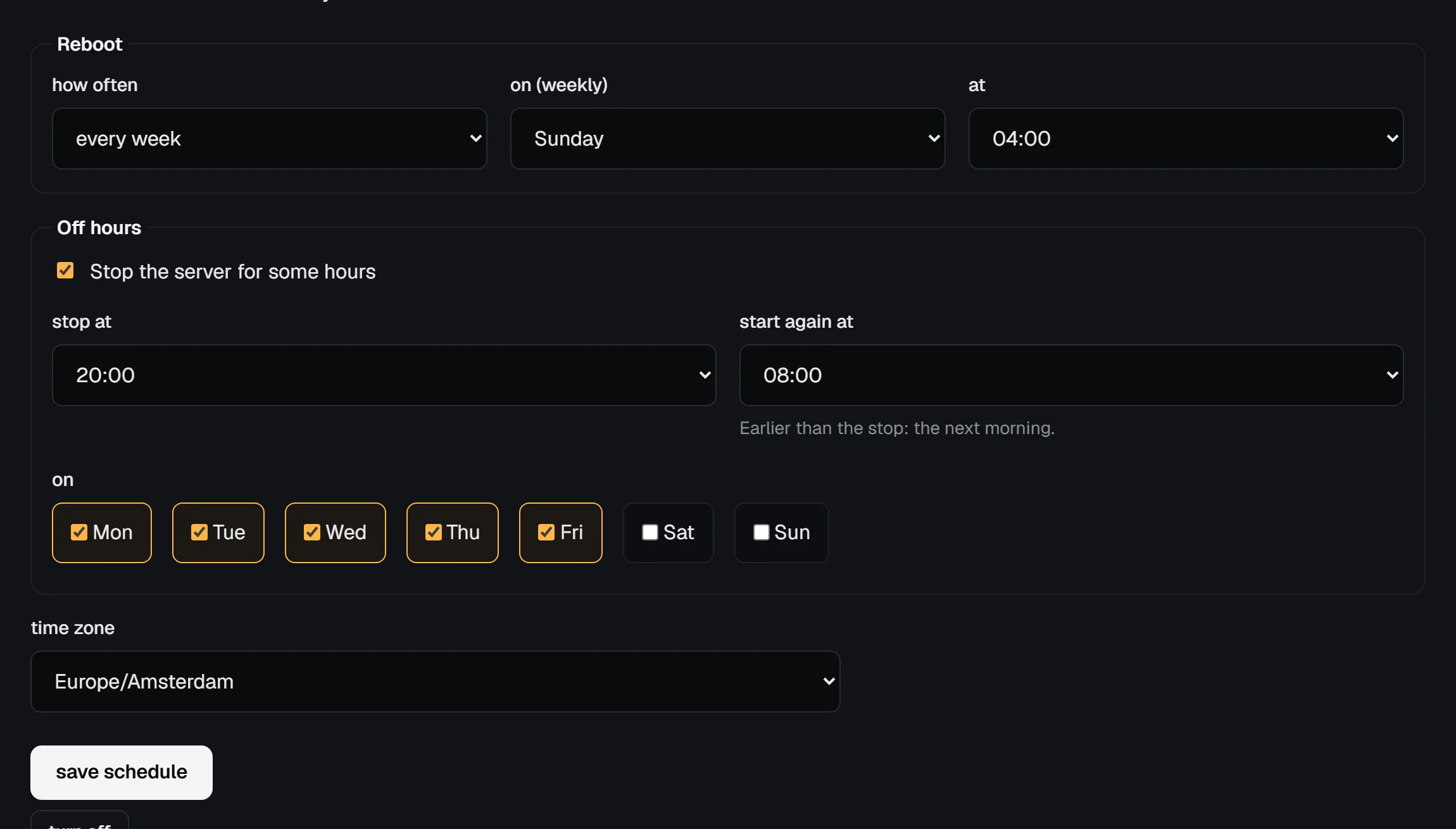
The tab shows when each action runs next and how the last one went. The Settings tab shows the schedule in a line too.
From the command line or the API:
vps9 schedules set staging --tz Europe/Amsterdam --reboot weekly --weekday sun --hour 4
vps9 schedules set staging --off-hours 20-08 --days weekdays
vps9 schedules show staging
vps9 schedules off staging
The API has GET, PUT and DELETE /servers/:id/power-schedule; see the API reference.
How it runs
- Each action starts within 5 minutes after its hour. Servers on the same host are spread over those minutes, so they don't all restart at once.
- The stop is a clean shutdown, like Stop in the panel: the system gets a minute to shut down before it is switched off.
- At the end of the off hours the server is started again only if the schedule stopped it. If you stop it yourself during the day, it stays off.
- A reboot runs only while the server is running; at night, inside its off hours, it is skipped.
- A suspended server, one in rescue mode, or one still busy with another action 30 minutes after the time is skipped until the next time.
If a scheduled action fails, you get a notification (and an email, by your notification settings). The schedule stays on and tries again at its next time.
Billing
A stopped server is still billed: its disk, its addresses and its room on the host are kept for it while it is off. Off hours save power and keep a test box quiet, not money. To stop paying for a server, cancel it.