Cancel a server
Cancel a VPSNine server at the end of its paid period or delete it now, what to back up first, and what happens to your data and billing afterwards.
Where things stand: accounts are open at my.vpsnine.com, so you can sign up, confirm your email and add SSH keys today. Ordering servers opens at launch.
You can stop a server whenever you want, on monthly or yearly billing. Unused time isn't refunded, except under the money-back guarantee for your first order. There are two ways to do it: cancel at the end of the period you've paid for, or delete the server straight away. Either way, the server's disk is erased, so get your data off first.
Back up first
When a server is deleted, its disk and its snapshots are erased. After that, nothing can be recovered, by you or by us.
Copy a folder to your own computer with rsync:
rsync -avz root@203.0.113.42:/var/www/ ./backup-www/Databases can stream a dump straight to your machine. MySQL or MariaDB first, then PostgreSQL; use the one you have:
ssh root@203.0.113.42 'mysqldump --all-databases --single-transaction | gzip' > all-databases.sql.gz
ssh root@203.0.113.42 'sudo -u postgres pg_dumpall | gzip' > postgres.sql.gz
Open the files on your computer and check they aren't empty.
Tidy up loose ends
Two things people forget:
- DNS. Remove or change any records pointing at the server's addresses. Otherwise your domain keeps pointing at an address that may later belong to someone else.
- API tokens. If a script had an API token just for this server, revoke it.
Cancel at the end of the paid period
- Open the server in the panel and go to its Settings tab.
- In the Billing box, choose cancel at period end and confirm.
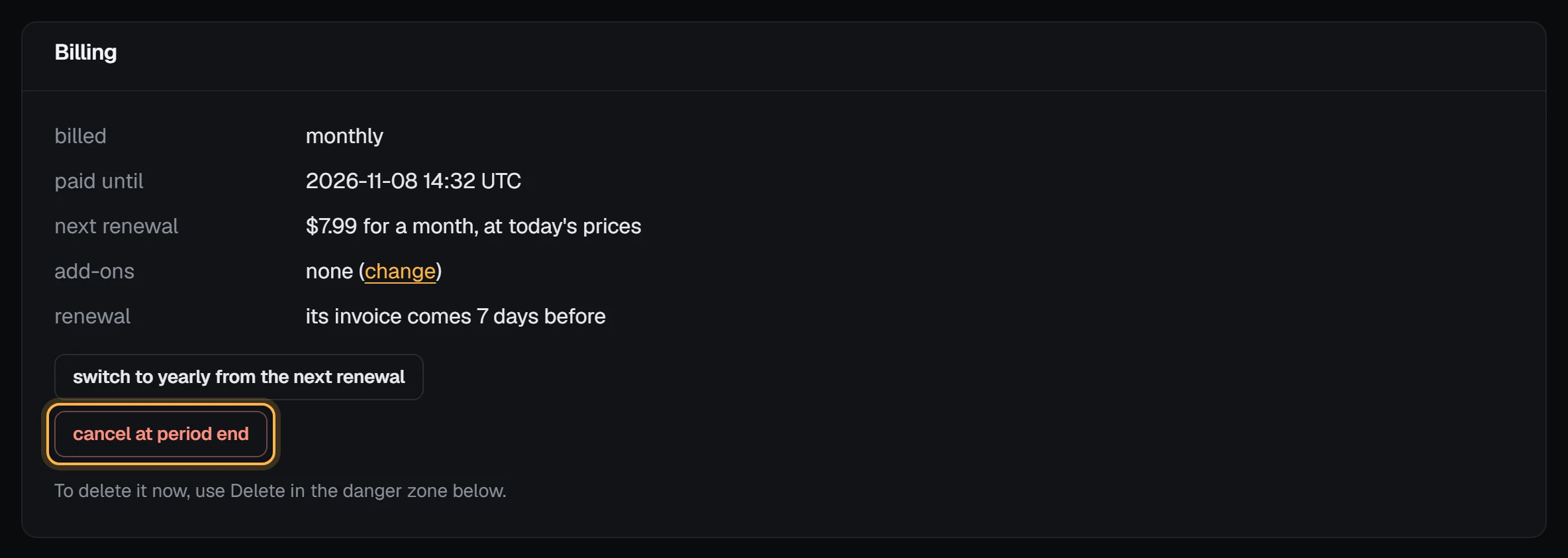
On a team, the owner, admins and billing members can cancel at period end; deleting a server now takes the owner, an admin or a technical member.
Check it worked
The server keeps running until the date shown as paid until. The renewal line changes to "none: the server is deleted when the paid period ends", the server's row on the billing overview says cancelling, and you won't be asked to pay for another period. If its renewal invoice was already out, it's voided, and any credit it used comes back to your account.
Changed your mind? Choose keep this server any time before that date, and billing carries on as before.
Cancelling at period end only works while the paid period is still running. Once the paid until date has passed (the renewal is overdue, or was issued late), there's no period end left to cancel at, and the panel says: "This server's paid month has ended. Pay the renewal to keep it, or delete it now." Pay the renewal invoice to keep the server, or delete it now. If you do neither, the unpaid renewal dates apply.
On the paid until date, the server is deleted along with its disk and snapshots, its IP addresses are released, and we email you to confirm. Once the deletion has started, the panel says "Being deleted: it can't be kept any more."
Delete it now
If you're done with the server today, delete it. If deletion protection is on, turn it off first.
- Open the server and go to its Settings tab.
- In the Danger zone, press Delete….
- Type the server's hostname in Type … to confirm, exactly as shown, and press delete.
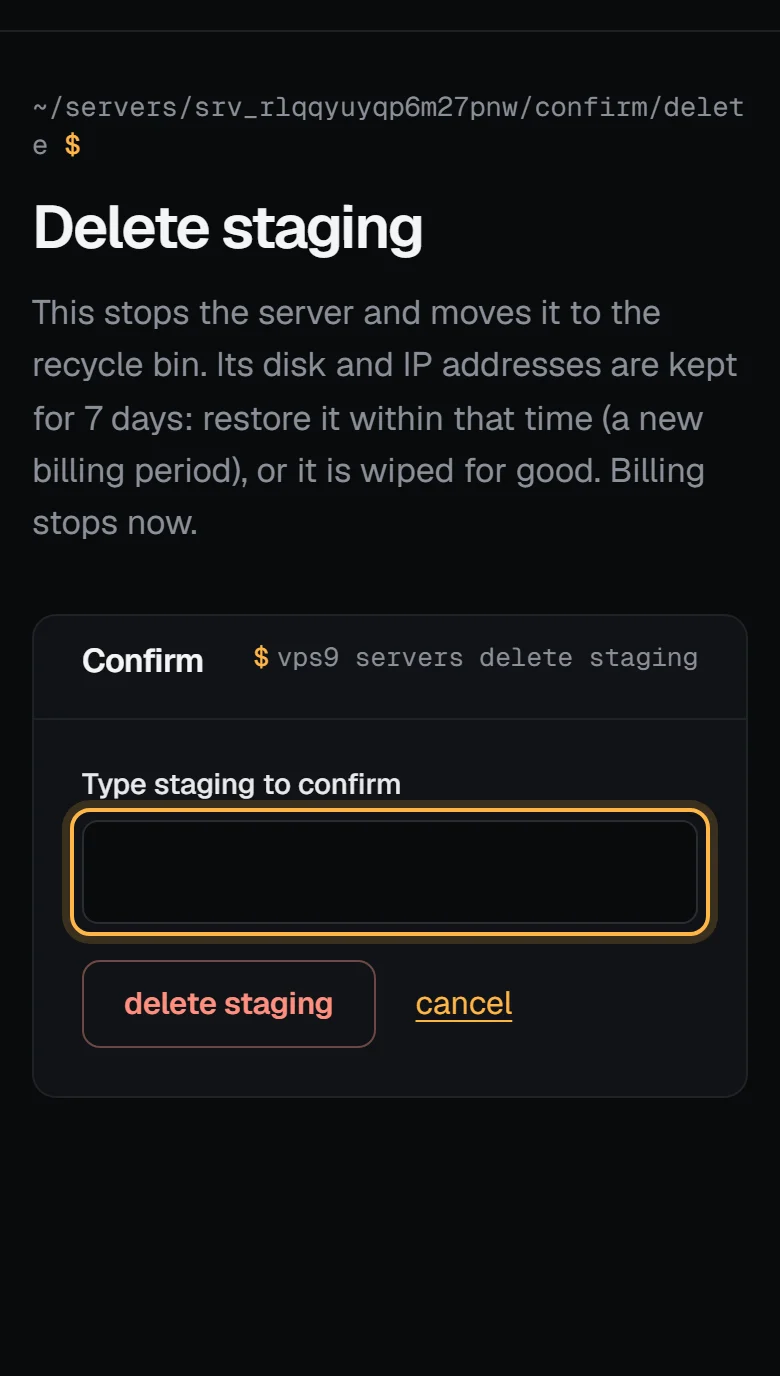
The server leaves your servers page and goes to the recycle bin. What happens:
- It's kept for 7 days. Its disk, snapshots and IP addresses are held in the recycle bin, and you can restore it from there (restoring is a new order at today's prices). After 7 days, or straight away if you choose Delete forever, the disk and snapshots are erased and can't be recovered, by you or by us.
- Billing for it stops. No renewal invoice comes. Unused time isn't refunded, unless you're still inside the 14-day money-back guarantee. In that case, ask for the refund instead of deleting the server: we delete it as part of the refund.
- Its IP addresses are released when the disk is erased. Until then they stay reserved for the server. Its reverse DNS is reset, and the addresses rest for a day before they can go to anyone else, so nobody receives traffic meant for you straight away.
- Its invoices stay. Past invoices and receipts are still under Billing.
Servers removed for an unpaid renewal, a refund or abuse don't go to the recycle bin: they're erased straight away.
A server can be deleted while it's running, stopped, in error or in rescue mode. A suspended server can't be deleted from the panel: pay its renewal or let the unpaid renewal dates run, or ask us.
From the command line, vps9 servers delete web-1 does the same, after asking you to type the hostname. The API takes {"action": "delete"} on POST /servers/:id/actions. Cancelling at the end of the period is only in the panel.
If you can't log in
Email hello@vpsnine.com from the address on your account and say which server to cancel. We'll reply to confirm. If you haven't heard back, email again before the server's renewal invoice is due, so you aren't billed for another period.