Add funds to your account
Top up your account credit with Bitcoin or PayPal so renewals pay themselves. Amounts, limits, what credit pays and what happens to an unpaid top-up.
To add funds, open Billing → Add funds, pick an amount from $5 to $1,000, choose Bitcoin or PayPal, and pay the invoice it makes. Once the payment confirms, the amount is added to your account credit, and every new invoice (renewals, add-ons, new servers) is paid from that credit first.
What you need
- A confirmed email address. The page tells you to confirm it first if you haven't.
- The owner, an admin or a billing member of the account (see teams).
- Orders open: top-ups are only offered while we take orders.
Add funds
- Open Billing → Add funds.
- Under Choose an amount, pick $10, $25, $50 or $100, or type another amount in Or another amount (USD). A typed amount wins over the one picked.
- Under Pay with, choose Bitcoin or PayPal. Only the ways to pay that are switched on are listed.
- Choose Continue to payment.
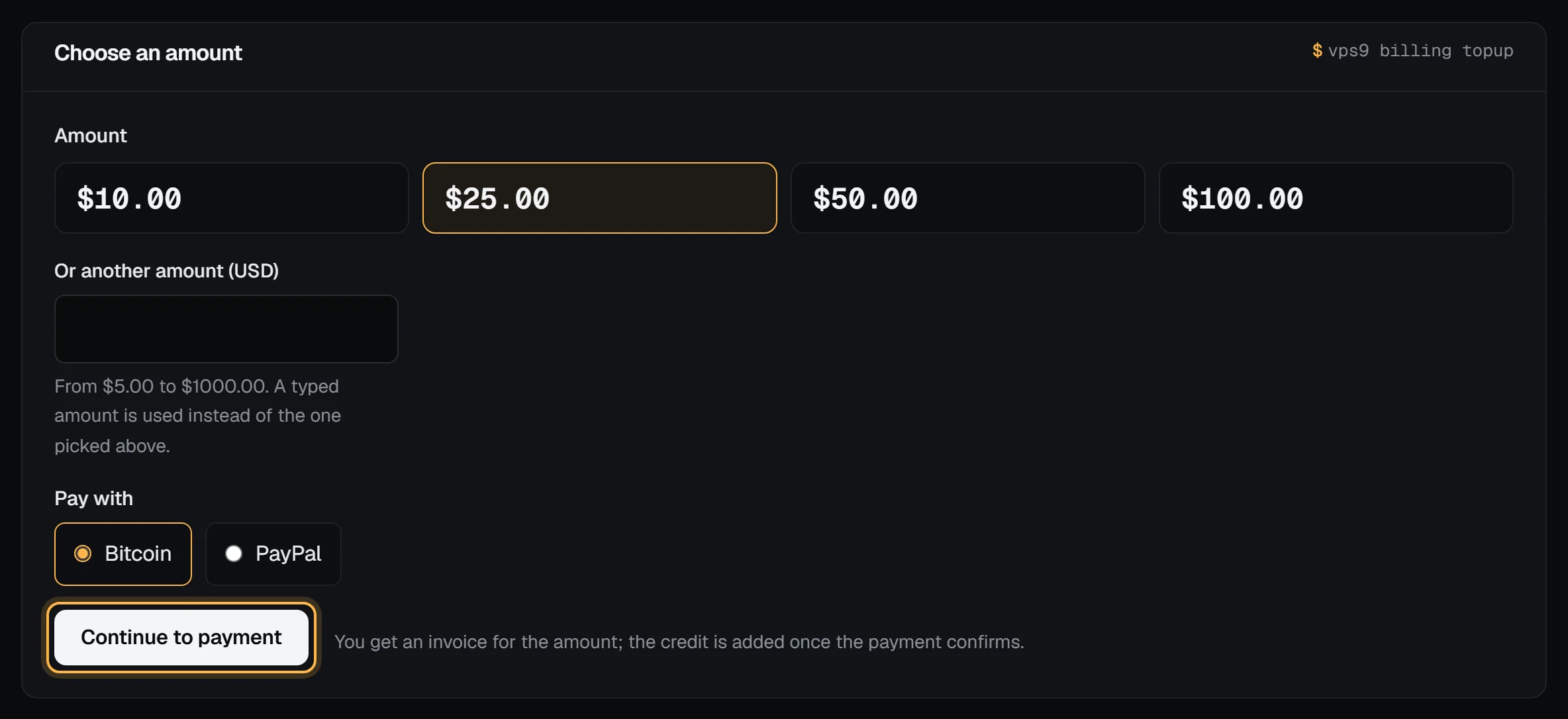
You land on a top-up invoice for the amount, with its checkout ready. Pay it as you would any invoice: Payment methods walks through Bitcoin and PayPal.
Check it worked
When the payment confirms, the invoice shows paid, your Account credit on the billing overview goes up by the amount, and we email you a receipt that says the amount was added to your credit. The bell in the panel shows "$25.00 added to your account credit" (or your amount). Credit history gets a Top-up line linked to the invoice.
A Bitcoin payment counts once it confirms on-chain, which can take a while. PayPal is usually immediate.
What credit pays
- Each new invoice takes what it can from your credit first: renewals, add-on changes and new servers. Whatever is left, if anything, is what you pay.
- Credit that arrives while an invoice is open pays it straight away, oldest first.
- Credit never pays a top-up. That would only move money around.
- Credit pays VPSNine invoices only. It isn't paid out, and it can't be moved to another account.
Limits
| Limit | Value |
|---|---|
| Smallest and largest top-up | $5 to $1,000 |
| Unpaid top-ups at once | 3 |
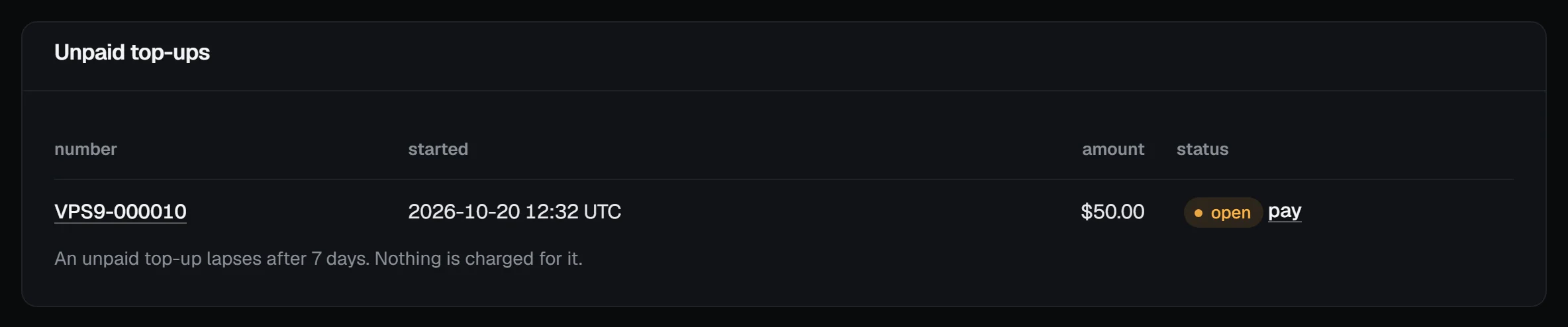
| An unpaid top-up lapses after | 7 days, with nothing charged |
| Add-funds requests | 10 an hour per account |
Unpaid top-ups are listed under Unpaid top-ups on the same page, each with a pay link:
Refunds and reversals
A top-up isn't covered by the money-back guarantee, which is for your first server order. If you think you're owed some of your credit back, open a billing ticket and we'll look at it.
If a PayPal payment for a top-up is reversed, disputed or refunded through PayPal, we take the credit it added back off your account, as much of it as you haven't spent, and the account is flagged for our billing staff to look at.
Troubleshooting
- "Confirm your email address first": open the link in the confirmation email, or send a new one from the banner at the top of the panel.
- "Type an amount in dollars, like 25 or 25.50": the typed amount wasn't a dollar amount between $5 and $1,000.
- "You already have 3 unpaid top-ups": pay one of them from the Unpaid top-ups list, or wait for one to lapse.
- "That payment method is not available right now": the top-up invoice was still made. Open it from Unpaid top-ups in a minute and choose how to pay there.
- "Too many tries in a short time": more than 10 add-funds requests in an hour. Wait, then try again.
Next steps
- Your billing overview and upcoming charges
- How account credit works
- Pay for a VPS with Bitcoin
- The API does the same with
POST /api/v1/billing/topups; see the API reference. From a terminal,vps9 billing topup 25makes the invoice and prints its checkout link (vps9 CLI cheat sheet).