Use a promo code
Where to enter a VPSNine promo code when you order a server, how the discount shows on your invoice, and what happens with credit, renewals and refunds.
A promo code takes money off a server order. You enter it on the order form; the discount is a line of its own on the invoice, so you can always see what you paid and why.
Enter the code when you order
- Open order a server and pick the system, plan and billing as usual.
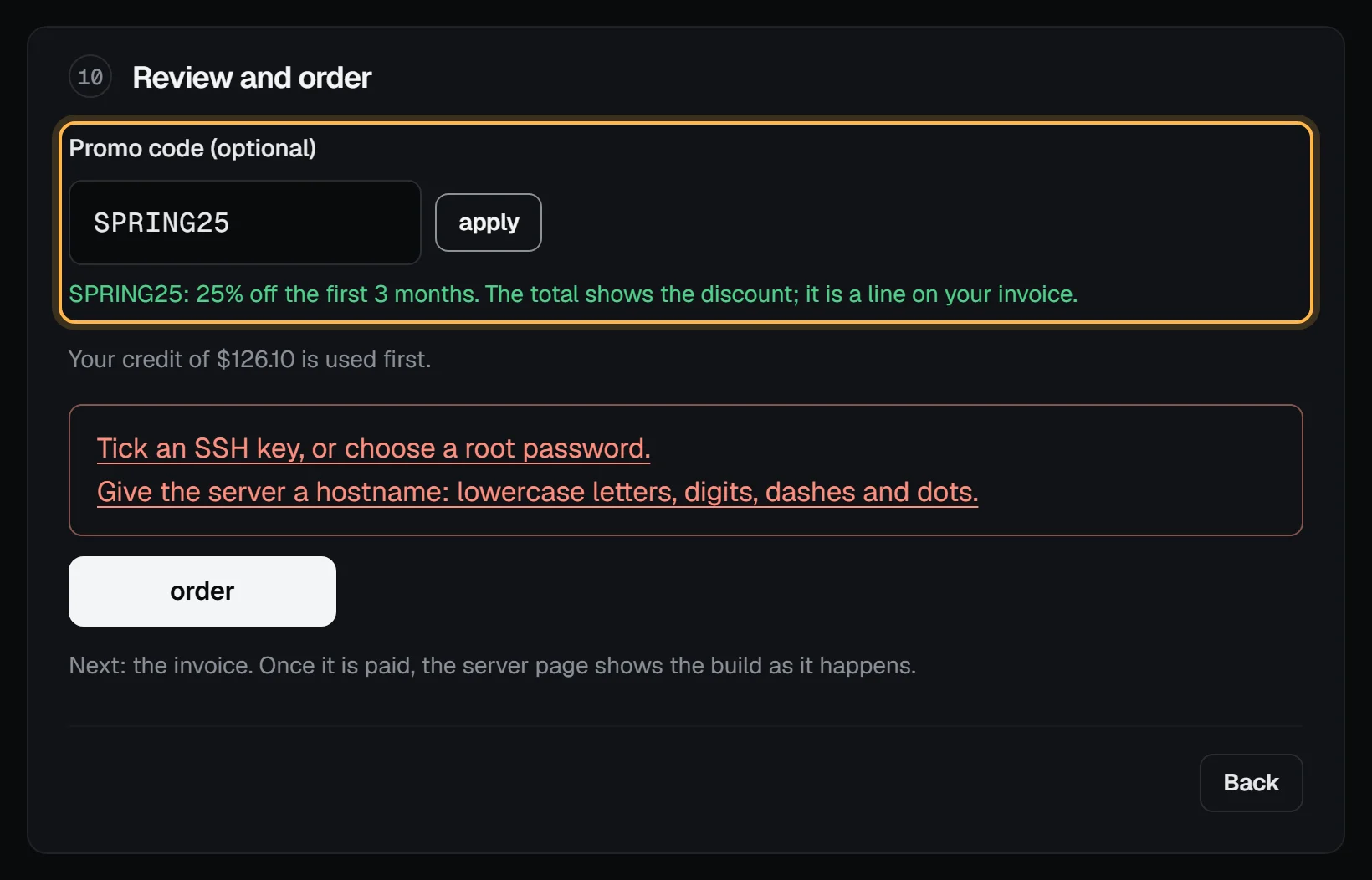
- In the last step, Review and order, type the code into Promo code and choose apply. Codes aren't case-sensitive.
- The total on the right now shows the discount as a line of its own. If the code can't be used for this order, the form says why under the field.
- Choose order. The invoice carries the same discount line.
With the API, send the code as promoCode in POST /api/v1/servers. A code that can't be used is refused with invalid_promo_code and the reason, and nothing is ordered.
What a code can take off
Each code says what it does when you apply it:
- A percent or a dollar amount off your first invoice: the order's invoice only, whether you pay monthly or yearly.
- Off the first few months: the order's invoice, then each renewal until those months are used. A yearly invoice counts as 12 months, so a "50% off the first 3 months" code takes half of 3 months' worth off a yearly order, and its renewals are at the full price.
Some codes only work for yearly billing, for certain plans, or for accounts that haven't paid for a server before. Codes have start and end dates and a limit on how many times they can be used. A discount is never more than the invoice it's on.
Credit, refunds and the money-back guarantee
The discount comes off first; then any account credit pays what's left, and you pay the rest with Bitcoin or PayPal.
If you ask for your money back under the money-back guarantee, you get back what you actually paid: the price after the discount. The same goes for an order we can't build, which comes back as credit.
If an order's invoice lapses unpaid after 7 days, the code isn't used up: you can use it again on a new order.
Codes and referrals
A promo code and the referral program work together. If someone referred you, the referral still counts once you pay your first invoice with Bitcoin or PayPal, at the price after the discount. An order the code made free doesn't count as that first payment.
The code doesn't work
Check the message under the field: it says whether the code is unknown, expired, not valid yet, used up, for other plans or yearly billing only, or for new customers only. After 10 wrong codes in an hour the form stops checking codes for a while. If a code you were given still doesn't work, open a support ticket and tell us where you got it.