Download invoices and receipts as PDF
Get any VPSNine invoice as a PDF in A4 or US Letter, see when it becomes a receipt, print it, or list invoices with the API and the CLI.
Every invoice in the panel has a Download PDF button (A4) and a PDF (US Letter) button. Once an invoice is paid, its PDF is titled Receipt and lists the payments that paid it, so the same button gives your accountant either document.
What you need
- The owner, an admin, a billing or a read-only member of the account. Technical members don't see invoices.
- For an invoice made out to your company, add your company details and VAT ID before the invoice is issued.
Download one
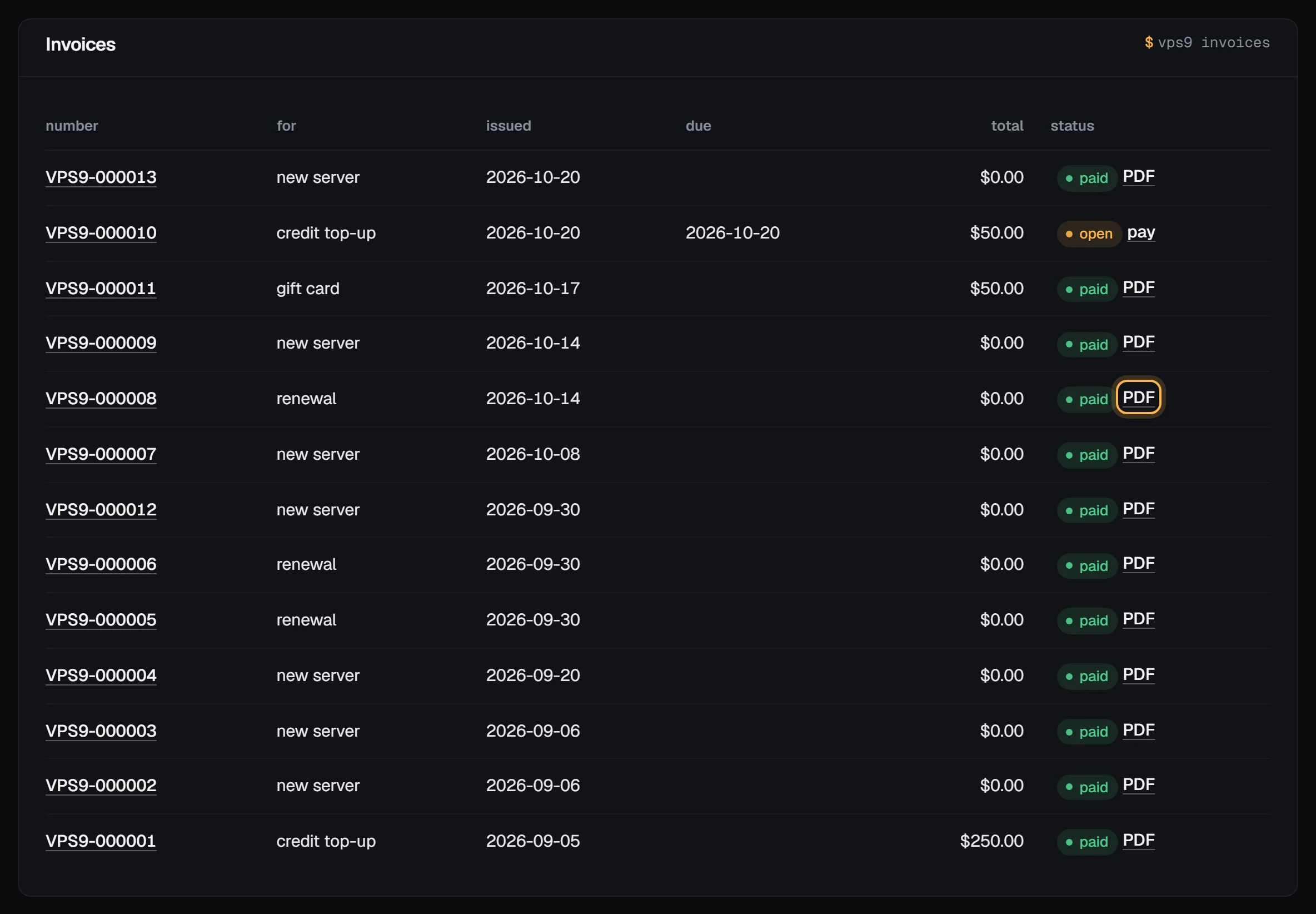
- Open Billing and find the invoice under Invoices.
- For a paid invoice, choose PDF on its row. For any invoice, open it by its number.
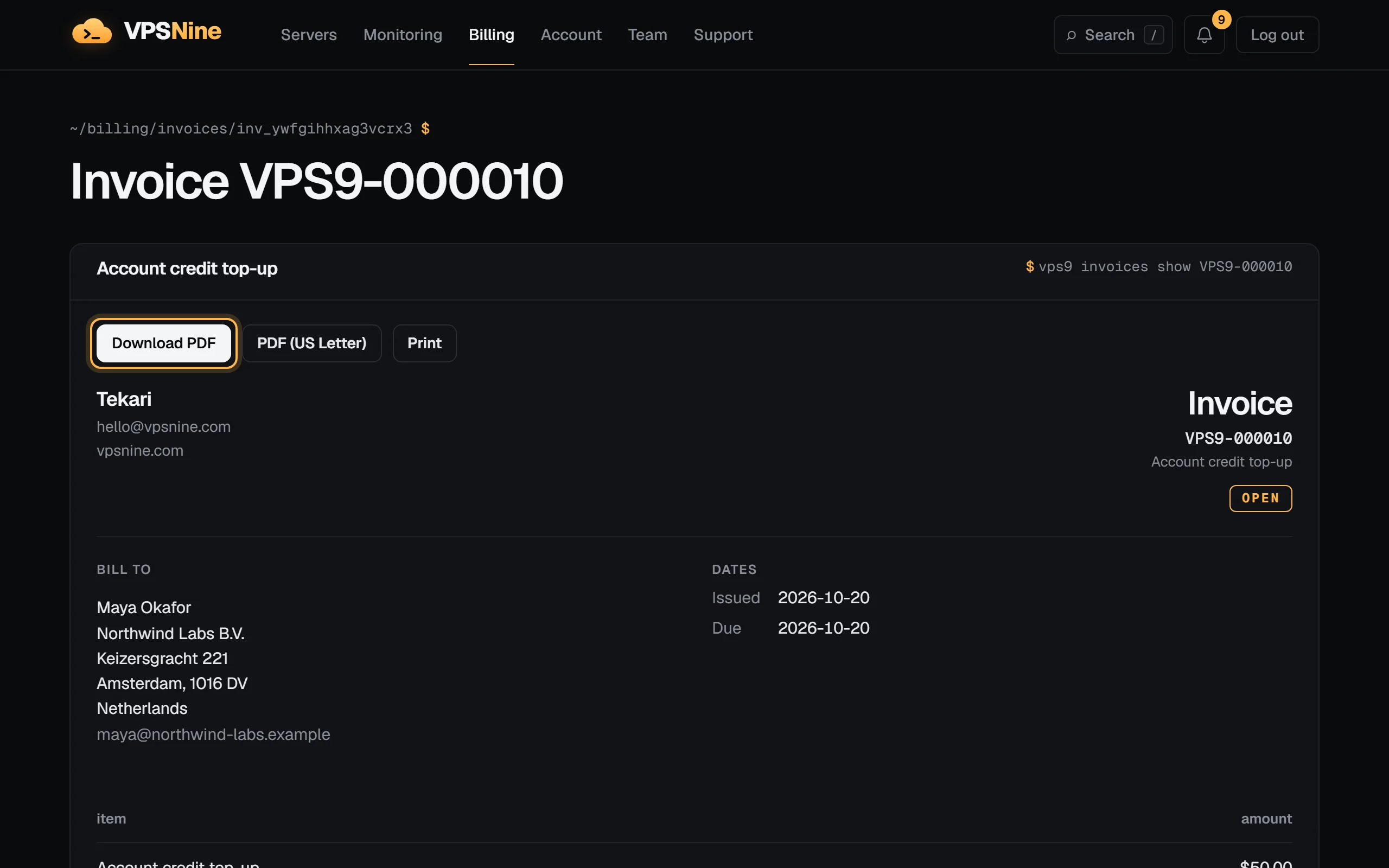
- On the invoice page, choose Download PDF for A4 or PDF (US Letter).
The file is named after the invoice number, like VPS9-000008.pdf.
Invoice or receipt
The document's title follows the invoice's status:
- Invoice while it is open (with the amount due and its due date), or if it lapsed unpaid.
- Receipt once it is paid, with the date it was paid and how: the payments with Bitcoin or PayPal, or "Paid with account credit" for an invoice credit paid.
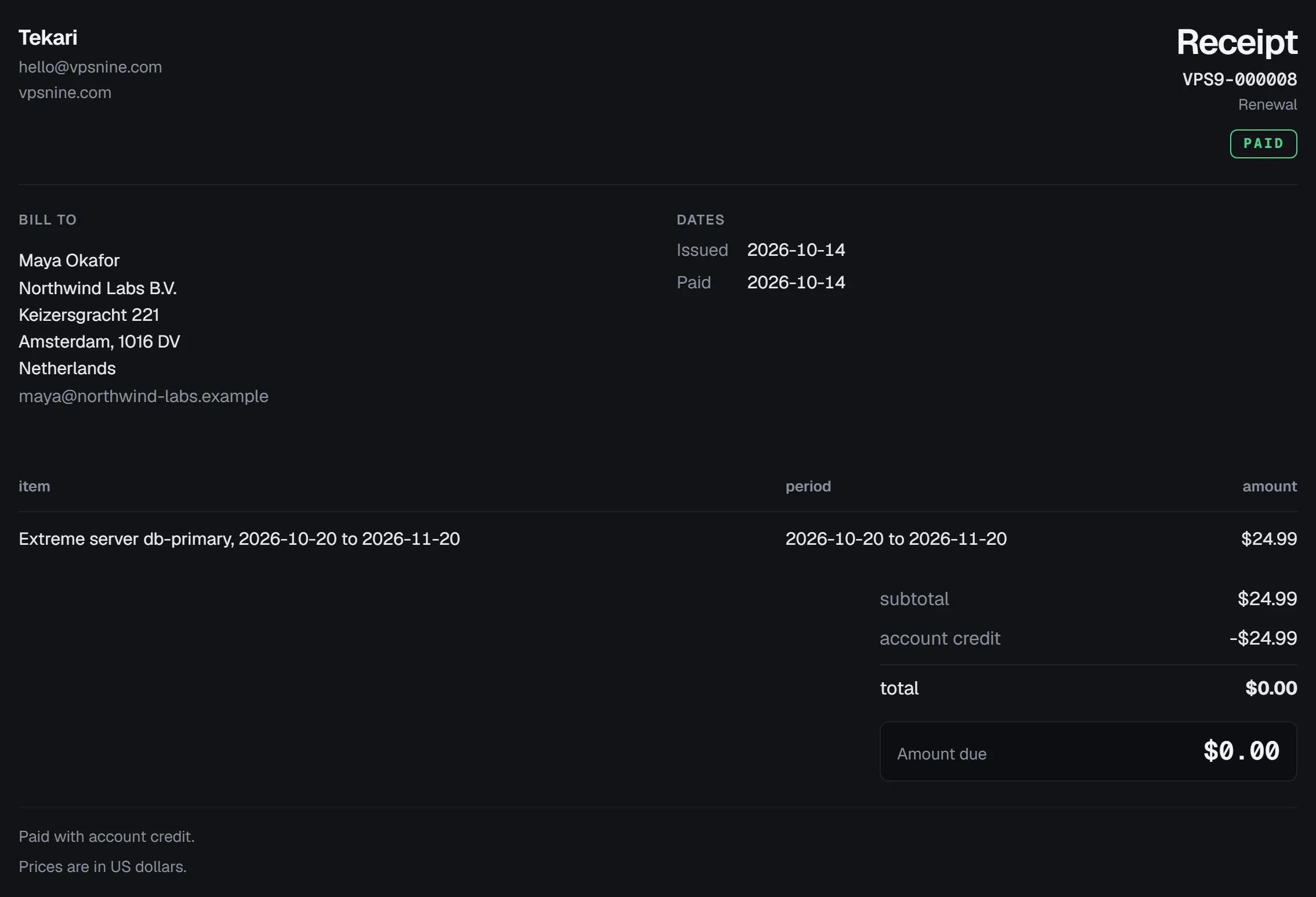
Each invoice shows the seller's details, who it is billed to (as it was when the invoice was issued), its lines with their periods, the subtotal, any account credit used and the total. Prices are in US dollars. We don't add tax to invoices.
Print it
Print opens your browser's print dialog with only the invoice on the page; the panel around it is left off. Choose "Save as PDF" there if you'd rather have the browser's own PDF.
Check it worked
Open the downloaded file. The number at the top right matches the invoice, and a paid one says Receipt and PAID.
With the API or the CLI
curl -H "Authorization: Bearer $VPS9_TOKEN" https://my.vpsnine.com/api/v1/invoices
vps9 invoices
vps9 invoices show VPS9-000008
The API returns amounts in integer cents. The PDF itself is a panel download, not an API call. See API tokens and the vps9 CLI.
Troubleshooting
- "Too many downloads. Wait a minute and try again.": there's a limit of 30 PDFs a minute per account.
- Letters show as
?in the PDF. The PDF uses the standard Latin fonts, so names in other scripts print as?. The invoice page in the panel shows them correctly; print it from there. - The invoice shows old company details. An invoice keeps the details it was issued with. New invoices use the new ones.