Read your credit history
Every change to your VPSNine account credit, line by line, with the balance after each. What each kind of line means and how to match it to an invoice.
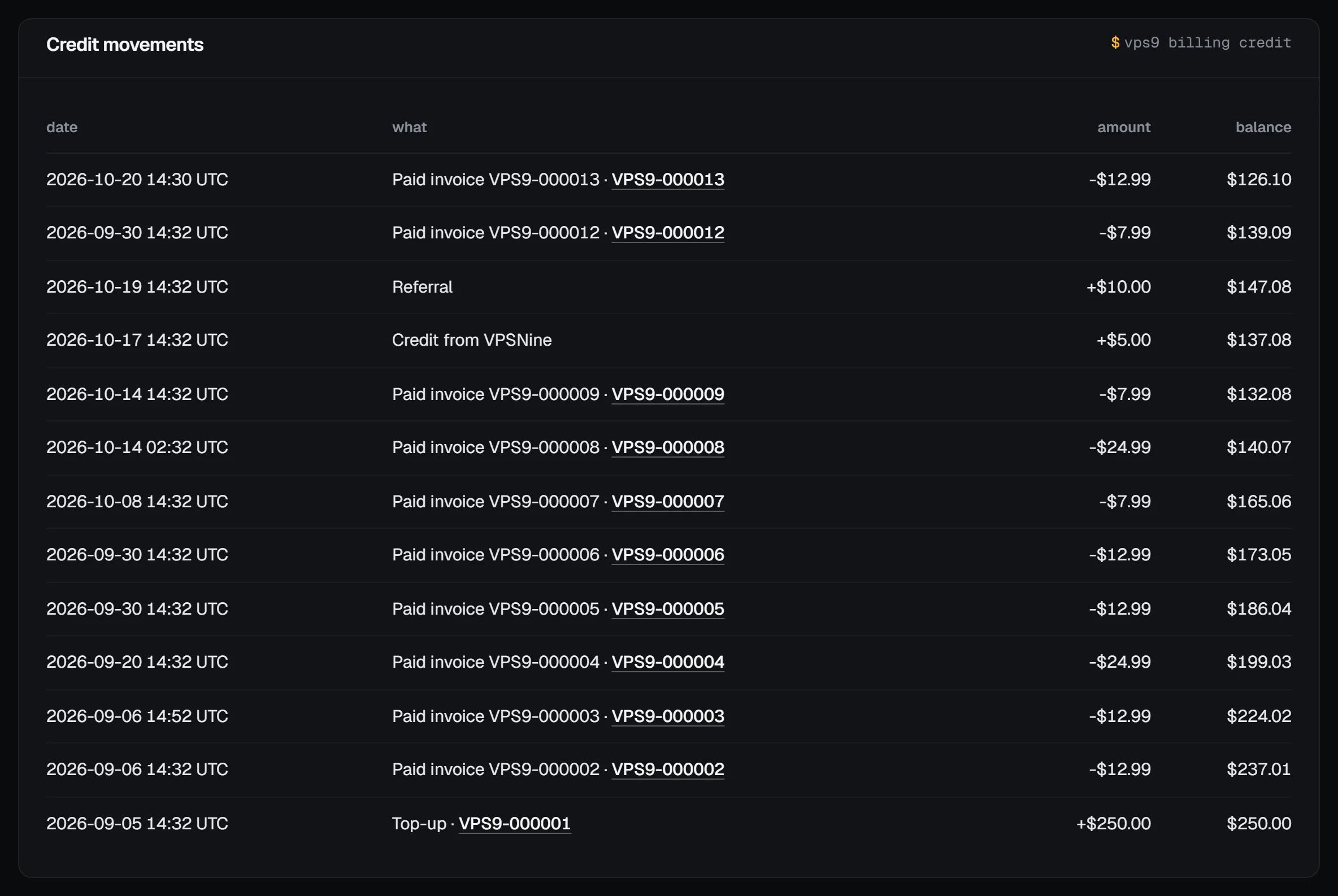
Billing → Credit history lists every change to your account credit, newest first: the date, what it was, the amount (plus for credit in, minus for credit spent) and the balance right after it. The top line's balance is your credit now, and each line that belongs to an invoice links to it.
What you need
- The owner, an admin, a billing or a read-only member of the account.
Open it
Open Billing → Credit history. The billing overview shows the last five lines under Recent credit, with All credit history for the rest.
What each line means
| Line | Amount | What happened |
|---|---|---|
| Top-up | + | A top-up invoice you paid with Bitcoin or PayPal. |
| Paid invoice VPS9-… | − | Credit paid all or part of that invoice. |
| Returned from invoice VPS9-… (voided or waived) | + | An invoice that had used credit was voided, for example when its server was deleted, so the credit came back. |
| Paid over invoice VPS9-…, or after it closed | + | A payment was more than the invoice asked for, or arrived after the invoice was no longer open. The extra became credit. |
| Payment kept as credit | + | A payment that couldn't pay an invoice, kept for you. |
| Refund of invoice VPS9-… to credit | + | A refund made as credit, for example under the money-back guarantee. |
| Credit from VPSNine | + | Credit our staff added, for example after a maintenance window. |
| Referral | + or − | Credit from the referral program, or credit taken back from a referral we voided. |
| Top-up VPS9-… taken back (payment reversed) | − | A PayPal payment for a top-up was reversed or refunded through PayPal. |
Times are in UTC.
Check it adds up
Each line's balance is the previous line's balance plus or minus its amount, and the newest balance equals Account credit at the top of the page. To check one invoice, open it from its line: an invoice paid from credit shows an account credit line and "Paid with account credit".
Troubleshooting
- Credit went down but you didn't pay anything. A renewal or another invoice was issued and credit paid it, as it always does first. Open the Paid invoice line to see which.
- A payment you made doesn't show here. A payment that paid its invoice in full never touches your credit; it's under Payments on the billing overview. Only the extra (or a late payment) becomes credit.
- You'd like unused credit back. Credit isn't paid out. Open a billing ticket if you think part of it should be refunded.
Next steps
- How account credit works
- Add funds to your account
- The API returns the same lines with
GET /api/v1/billing/credit; see the API reference.vps9 billing creditprints them in a terminal.