Protect a server from deletion
Turn on deletion protection so a server can't be deleted, reinstalled or put back to a snapshot by mistake, from the panel, the CLI or the API.
Deletion protection locks a server against the actions that wipe its disk. While it is on, delete, reinstall and going back to a snapshot are refused, whether you try from the panel, the command line or the API. Everything else works as before: start, stop, reboot, snapshots, the firewall, rescue mode.
Turn it on for the servers you can't afford to lose by a slip of the mouse or a script with the wrong id.
Turn it on
Open the server, go to Settings and choose turn on under Deletion protection. It takes effect at once, and the server's events record who turned it on.
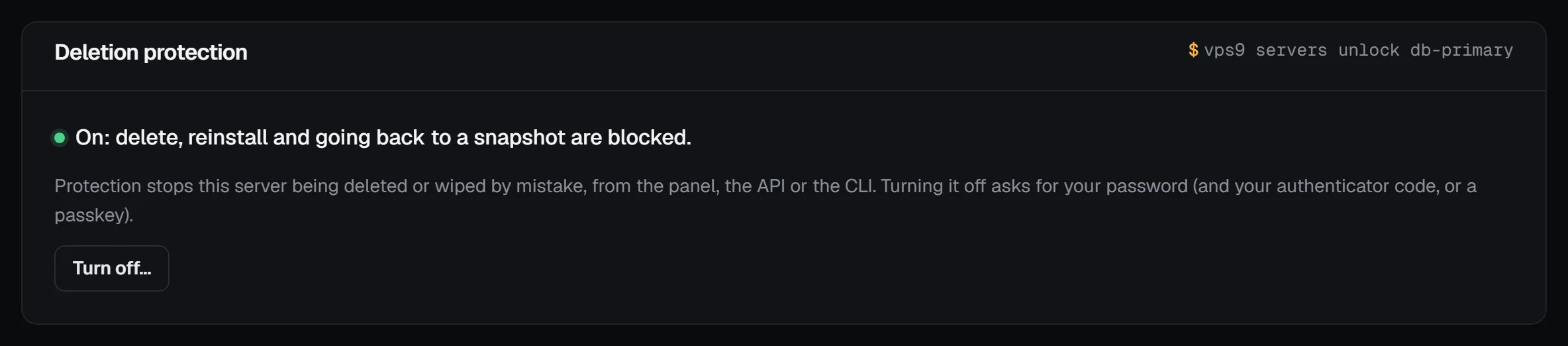
From the command line or the API:
vps9 servers lock db-primary
curl -X POST -H "Authorization: Bearer $VPS9_TOKEN" https://my.vpsnine.com/api/v1/servers/srv_…/lock
A delete or reinstall of a locked server answers 409 protected in the API, and the CLI says so.
Turn it off
Turning protection off is a sensitive change, so we check it's you, the same way as adding a passkey:
- your account password, and
- the code from your authenticator app (or a recovery code), if your account has two-factor authentication.
If you confirmed it's you in the last 15 minutes (with a passkey or a code), nothing more is asked. If your account signs in with passkeys and has no authenticator app, the page asks you to confirm with a passkey first.
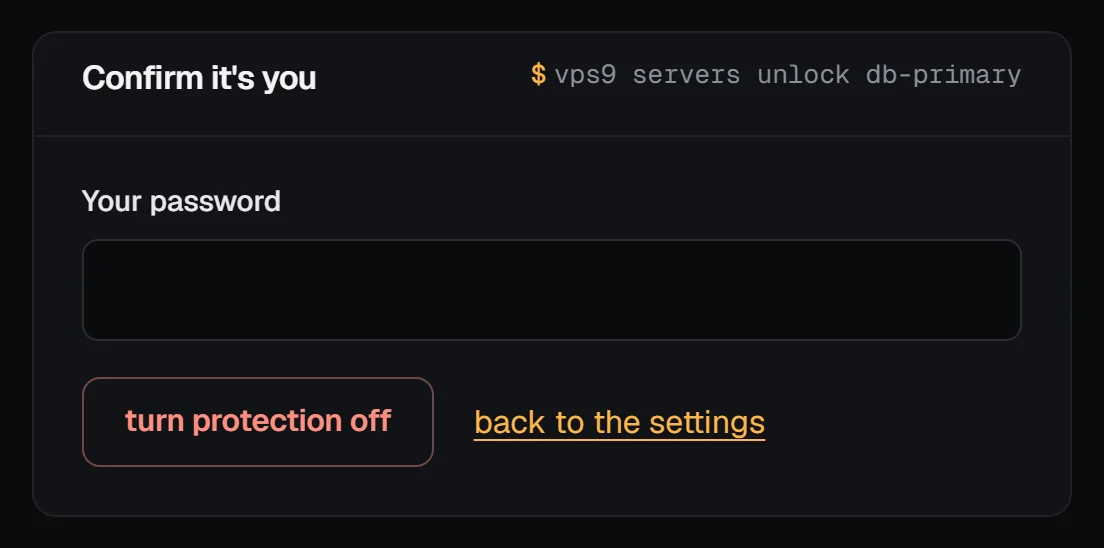
vps9 servers unlock db-primary # asks for your password (and your code)An API token can't confirm with a passkey, so accounts that use passkeys without an authenticator app unlock in the panel.
What it doesn't stop
Protection guards against mistakes, not against billing or our support team:
- If a renewal stays unpaid, the server is still suspended and then deleted on the usual dates.
- A server cancelled at the end of its period is still deleted on its paid until date.
- Our staff can still act on the server when they must (abuse, a legal order); every such action is written to our audit log.
Team members with the Technical, Admin or Owner role can turn it on and off; see Teams.