Off-site backups: set up and restore
Daily encrypted backups of your whole server, kept with a separate storage provider, and how to restore one over the server or into a new one.
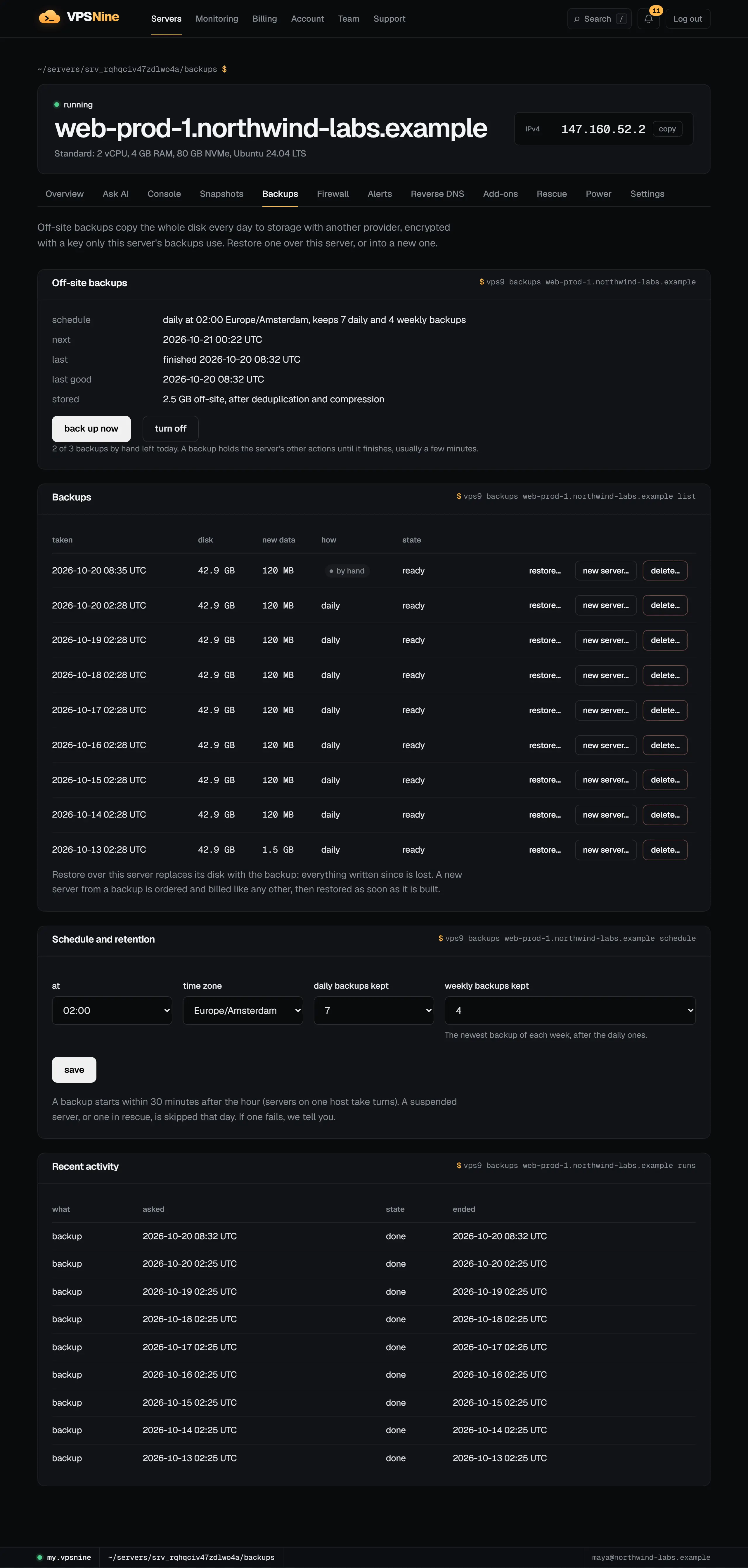
Off-site backups copy your server's whole disk once a day to object storage run by another company, encrypted before it leaves our host. If the server is broken, deleted by mistake or compromised, you can put any of those copies back: over the same server, or into a new one.
They are a paid add-on, by default 20% of the plan's monthly price (the server's Backups tab shows the exact price for its plan).
How they differ from snapshots
Snapshots live on the same disks as the server. They are quick to take and revert, but they go away with the server and don't protect you from a failed host. Backups are kept elsewhere:
- Another provider. The copies sit in object storage outside our servers, so a lost host, a reinstall or a deleted server doesn't take them with it.
- No downtime. A running server keeps running while it is backed up: its writes go to a temporary layer that is merged back when the copy is done. A snapshot shuts the server down for about a minute; a backup doesn't.
- Crash-consistent. A backup is the disk as it was at one instant, like after a power cut. Journaling filesystems recover from that. For databases, also keep the database's own dumps (see Back up your server) or stop writes for the minute the backup starts if you need a clean copy.
- Encrypted and deduplicated. Each server's backups have their own encryption key, made when you turn backups on and never shown or sent anywhere but our hosts. After the first backup only the changed parts of the disk are stored, compressed.
Turn them on
Open the server, go to Backups and choose turn on. An add-on invoice covers the rest of the current period, paid from your account credit first. Backups start as soon as it is paid, and the add-on renews with the server: monthly, or 10 times the monthly price on a yearly term.
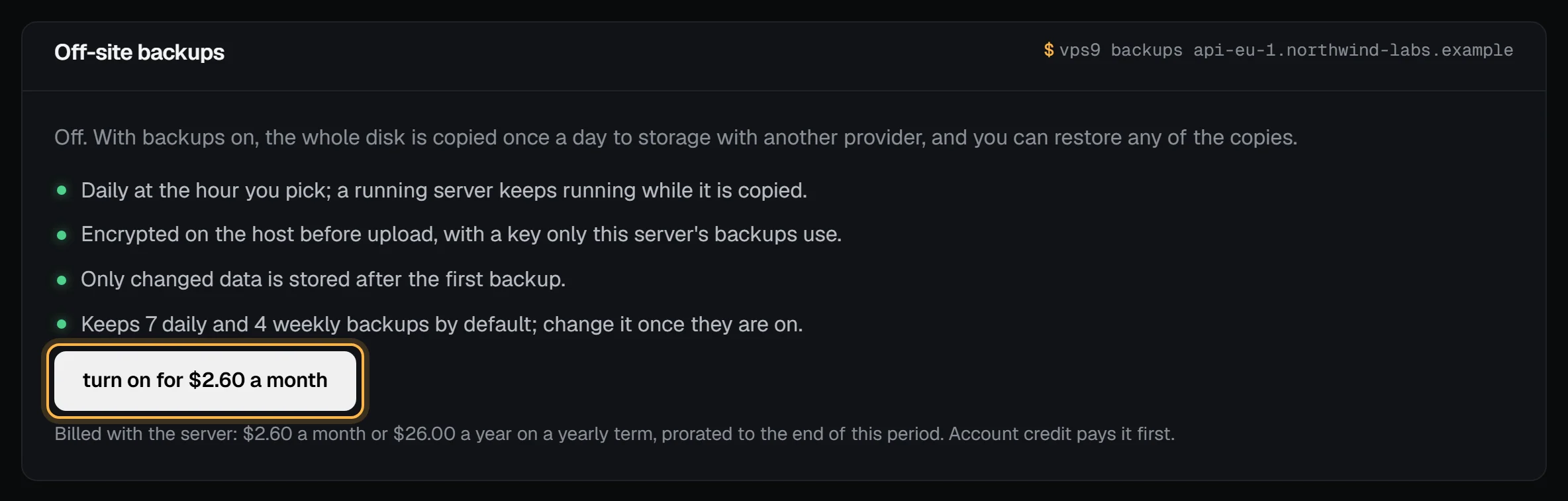
You can also order a new server with backups already on (--backups with the CLI, addons.backups: 1 with the API).
When they run and how many are kept
Backups run once a day at the hour you pick, in your time zone, starting within 30 minutes after it (servers on one host take turns, one backup at a time per host). Under Schedule and retention:
- Daily backups kept: the newest backup of each of the last 1 to 14 days (7 by default).
- Weekly backups kept: after those, the newest backup of each of 0 to 8 earlier weeks (4 by default).
The newest backup is always kept. Back up now takes one at once, up to 3 times a day; the daily one still runs.
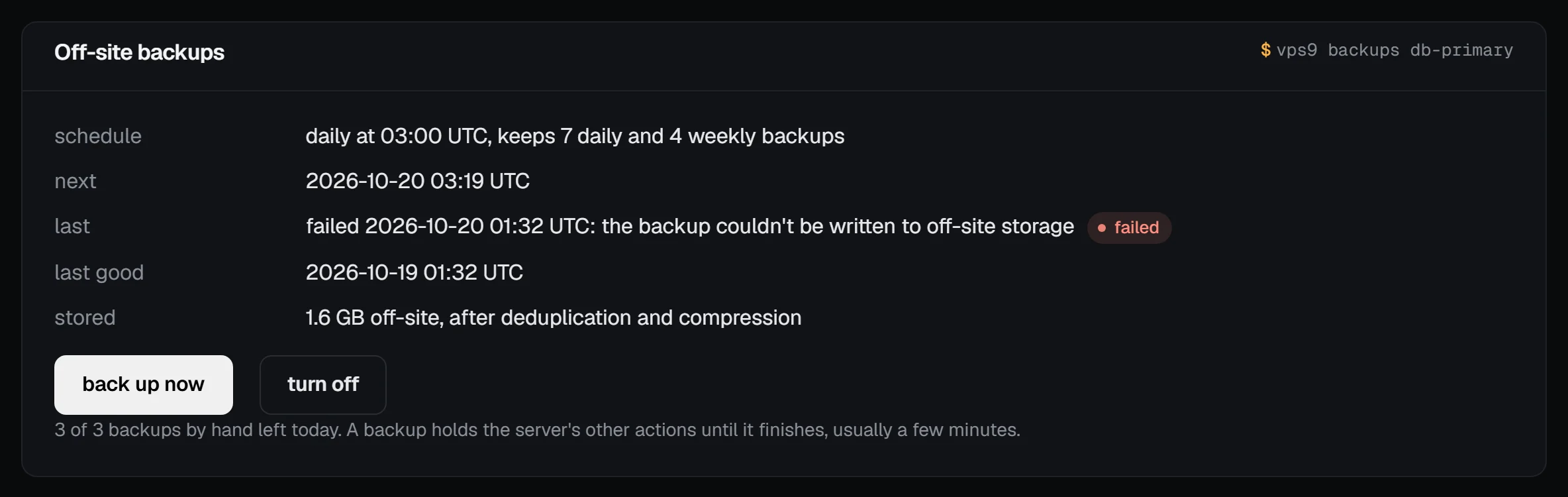
While a backup runs, the server's other actions (reboot, resize and so on) wait for it, usually a few minutes. A suspended server, or one in rescue mode, is skipped that day. When a backup fails we tell you by email and in the panel's notifications, with the reason, and the page shows it:
Restore over the server
Next to a backup, choose restore… and type the server's hostname. The server is shut down, its disk is replaced by the backup, and it starts again. Everything written since that backup is lost. A big disk takes a while to download; the server page shows the restore until it is done.
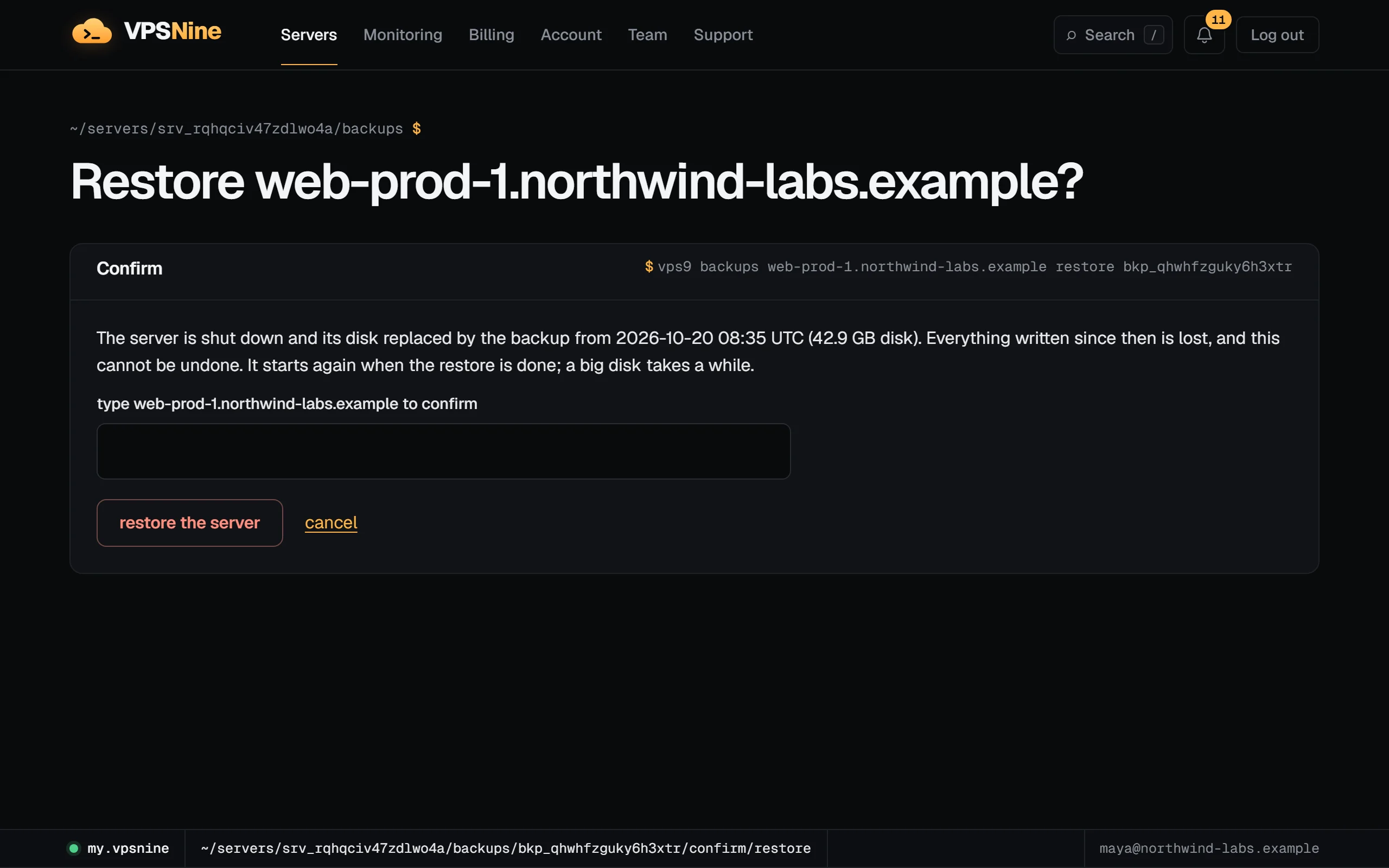
If the disk grew since the backup (extra NVMe), it keeps its size; grow the partition and filesystem as after a snapshot revert.
Restore into a new server
Choose new server… next to a backup. The order form opens with a note saying which backup the new server will get. Pick a plan whose disk is at least as big as the backup's, pay, and once the server is built it is restored from the backup and started. The new server is billed like any other and gets its own addresses: update DNS and anything that points at the old one.

This works for backups of a deleted server too, while they are kept (below).
The CLI and the API
vps9 backups web-1                 # the list, newest first
vps9 backups web-1 status          # schedule, last run, stored size
vps9 backups web-1 on              # turn on (an add-on invoice)
vps9 backups web-1 now             # back up now
vps9 backups web-1 schedule --at 2 --tz Europe/Amsterdam --daily 7 --weekly 4
vps9 backups web-1 restore bkp_q4m2x7abcdefgh3k
vps9 servers create --plan standard --image debian-12 --hostname web-2 --key key_m2q7x4abcdefgh2s --restore-from bkp_q4m2x7abcdefgh3k
The API has the same under /servers/:id/backups, and restoreFrom on POST /servers. Webhooks can subscribe to backup.failed and backup.restored (webhooks).
When backups end
Turning backups off takes effect at the next renewal; until then they keep running. After the add-on ends, or after the server is deleted for good, its backups are kept for 14 days and then deleted for good. Turning backups on again within those 14 days keeps them.
While a deleted server is in the recycle bin, no backups run and the 14 days haven't started: they start when the bin is emptied. If you restore the server from the bin, its backups are still there; turn backups on again on its Backups tab to keep them and keep taking new ones.
What a backup can't do: it doesn't copy memory, and it isn't a replacement for keeping the data that matters most somewhere you control as well.