Publish a status page for your service
Give your customers a public page with the state and 90-day uptime of the services you pick, and notes you post during incidents and maintenance.
A status page tells your own customers whether your service is working, without them having to email you. It shows the uptime monitors you choose with their state now and their uptime over 90 days, and the notes you post when something is wrong or planned. Each account can publish 3 pages, free.
Publish a page
- In the panel, open Monitoring, then status pages.
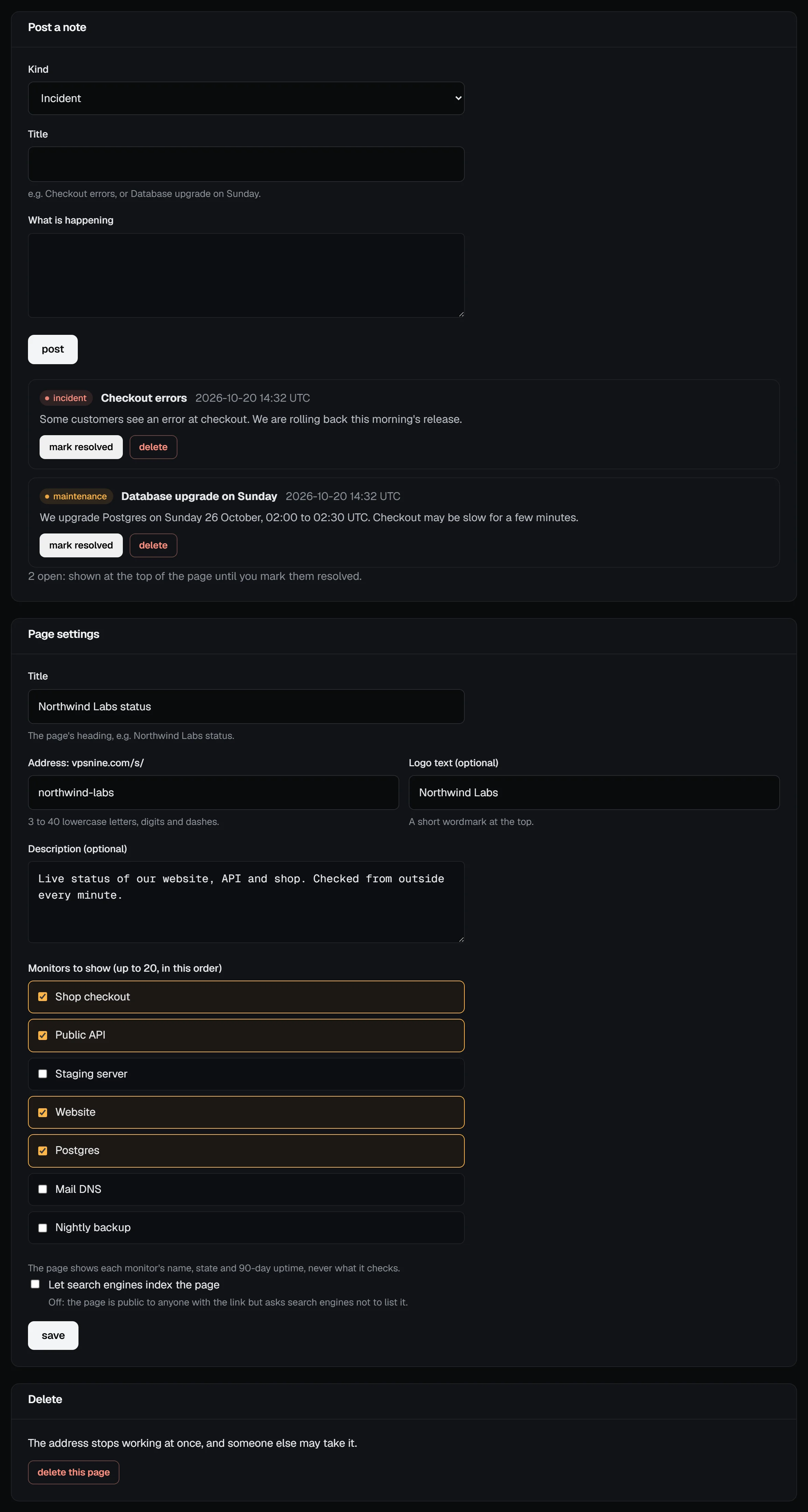
- Enter a title, like Northwind Labs status, and an address: the page lives at
vpsnine.com/s/followed by what you type (3 to 40 lowercase letters, digits and dashes). - Optionally add a short logo text and a description.
- Tick the monitors to show, up to 20, and choose publish.
What visitors see
The page shows each monitor by the name you gave it, its state now (operational, down, or under maintenance while paused) and a bar for each of the last 90 days, coloured by how much downtime the day had. Hovering a day shows its uptime and how long each outage lasted.
It never shows what a monitor checks: no URLs, hostnames, ports or error messages. You can name a monitor "Website" and keep the address it checks to yourself.
The headline sums up the worst state on the page: all systems operational, some systems down, or maintenance in progress. The same data is at vpsnine.com/s/your-name.json for your own tools.
Post a note
When something is wrong, or before planned work, post a note on the page's settings screen:
- Incident: something is broken. While it is open, the page says some systems are down.
- Maintenance: planned work. While it is open, the page says maintenance is in progress.
- Notice: anything else your customers should know.
Open notes show at the top of the page. Choose mark resolved when it is over: the note moves to the page's past 14 days. Notes are plain text; line breaks are kept.
Search engines
New pages ask search engines not to list them (a noindex tag), so the page is public to anyone with the link but doesn't show up in search results. Tick Let search engines index the page if you want it found.
Change the address or delete the page
You can change the address at any time; the old one stops working at once and someone else may take it. Deleting a page removes it and its notes. Deleting a monitor takes it off every page it was on.
Your own domain (like status.example.com) isn't supported yet: link to the vpsnine.com address from your site or your app's help menu instead.