Create your VPSNine account
Sign up at my.vpsnine.com, pick a password that passes the checks, and confirm your email. You can make an account before you're ready to order.
Where things stand: accounts are open at my.vpsnine.com, so you can sign up, confirm your email and add SSH keys today. Ordering servers opens at launch.
Make your account before your first order. Turn on two-factor authentication and save your SSH keys while you're there, so ordering your first server takes a couple of minutes.
Sign up
- Go to my.vpsnine.com/signup.
- Enter your email address, then a password twice (Password and Confirm password).
- Read the policies before creating an account, then tick the box that names the Terms of Service, the Acceptable Use Policy and the Privacy Policy. The Acceptable Use Policy explains which activities can lead to suspension.
- Choose create account.
You'll land on the login page with a note telling you to check your email. Log in straight away if you like; you don't have to confirm your address first. You will have to before you order a server or make an API token. Confirm your email address covers the link we send.
One thing that might look odd: if the address already has an account, you see exactly the same page, and we email that address instead to say so. That's on purpose. It means nobody can use the sign-up form to find out who our customers are.
Picking a password
The form refuses a password that's:
- shorter than 12 characters (the limit at the other end is 256);
- on our list of common passwords;
- the same as your email address.
Let a password manager generate one if you can. If you'd rather type it, four or five random words strung together are long, easy to type, and hard to guess. Just don't reuse a password from another site.
Check it worked
Log in at my.vpsnine.com/login. Until you confirm your address, a banner at the top of every page says so, with a send a new link button.
Once you're in
The Servers page says "No servers yet" until you order one. If orders aren't open yet, or you're not ready, two things are worth ten minutes now:
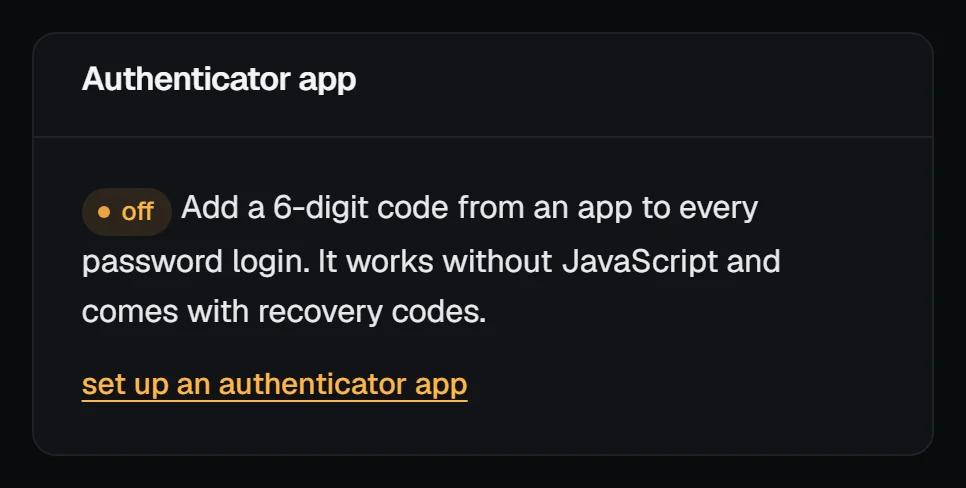
- Turn on two-factor authentication.
- Add your SSH key, so it's ready for your first server.
The security center, under Account → Security, checks your sign-in settings and links to each step:
If the form says Too many attempts. Wait a few minutes and try again, it's because sign-ups are limited per network address. Come back a bit later. If something else goes wrong before you can log in, email hello@vpsnine.com. Once you're in, open a support ticket from the panel's Support page.
Next steps
- Confirm your email address
- What happens when you order
- Compare the plans and distributions