What happens when you order a server
The steps from choosing a plan to your first SSH login, what VPSNine does in between, and how billing works after that.
Where things stand: accounts are open at my.vpsnine.com, so you can sign up, confirm your email and add SSH keys today. Ordering servers opens at launch.
When you order a VPSNine server, you pick it in the panel's order form, pay the invoice, and the server is built as soon as the payment confirms; you then log in over SSH with your key. This page follows that path end to end, then how billing works after the first period, so there are no surprises on the day. If orders aren't open yet, the waitlist at the bottom of any page sends one email when they are.
What you need first
- An account, with its email confirmed. Create your VPSNine account at my.vpsnine.com, then confirm your email address: orders need a confirmed address.
- An SSH key. Every order needs one, because that's how you log in. Add your SSH keys to your account before you order.
- A plan. The sizes are on the plans page, and Choose a plan helps if you're torn. Until orders open, sizes can still change and prices aren't published.
- A distribution. Without a strong preference, take Ubuntu LTS or Debian. Choose a Linux distribution has the longer answer.
- A way to pay. Payment methods lists them.
The order itself
- You fill in the order form, one page in three sections: the server (operating system, plan, billing and an optional app), access (the hostname and how you log in), and the optional extras (add-ons, first-boot packages and script, a promo code). Order your first server goes through all of it.
- You press Order beside the summary, and the invoice opens. Account credit is used first; if it covers the total, the invoice is already paid.
- You pay the invoice with Bitcoin or PayPal. An order invoice that isn't paid within 7 days is cancelled.
- We build the server once the payment confirms.
- The server appears as running, with its IPv4 address (and its IPv6 address once our IPv6 allocation is approved), and we email you to say it's ready.
- You log in over SSH with your key.
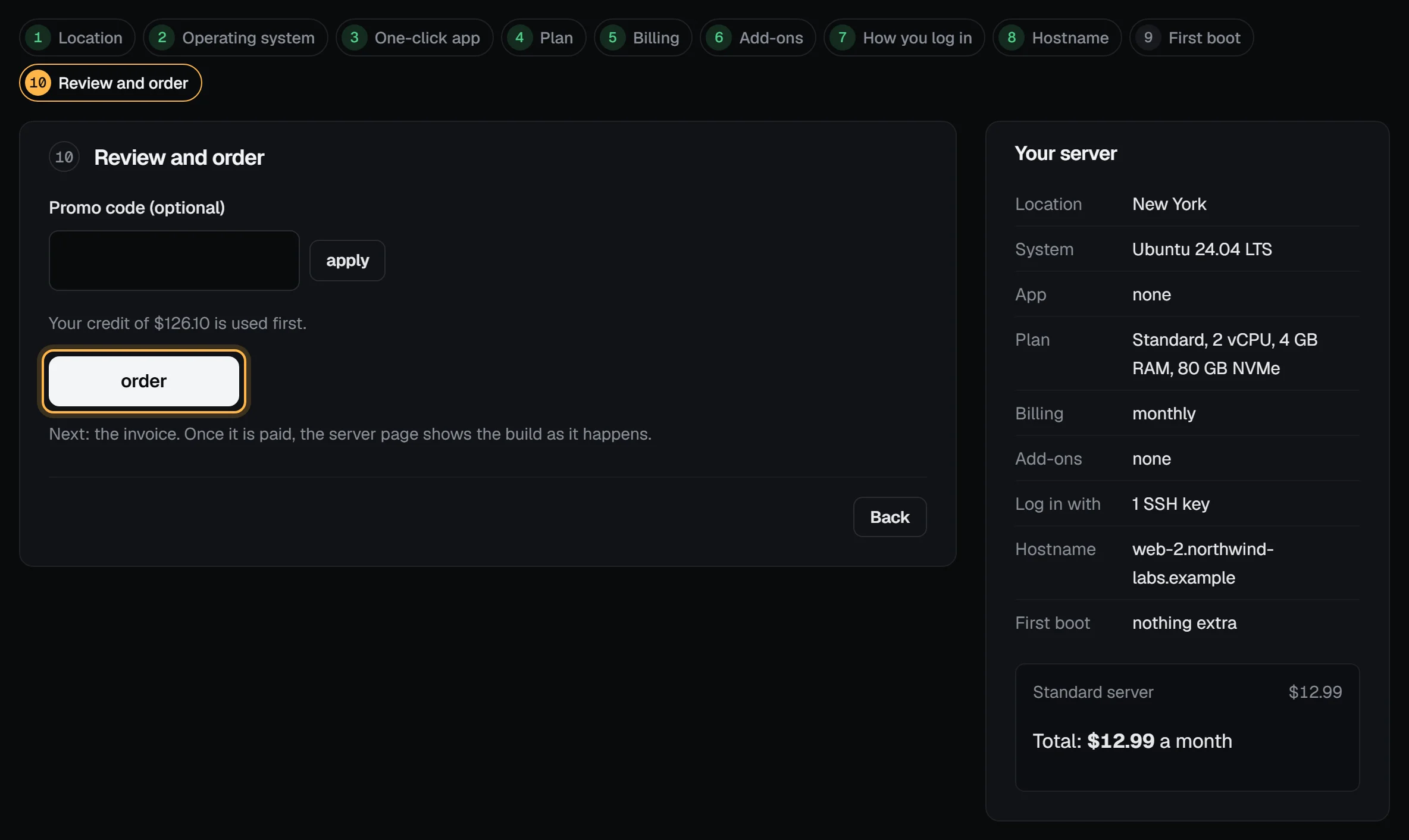
Step 4 is where we spend our time. The platform reserves the server's CPU and RAM, creates its NVMe disk, writes the distribution to it, assigns its addresses and boots it. Our target is 59 seconds from the payment confirming to the server answering on SSH. It is a target, not a promise: we haven't measured it on the new platform yet, and an app or setup script keeps installing after that. What "59 seconds" means has the details.
Watching it build
Once the payment confirms, the server's page shows the build as it happens, with a clock that starts at your order: order confirmed, picked up by a host, disk, cloud-init seed and VM, first boot, and SSH answering. Each step shows when it happened, and only once it has.
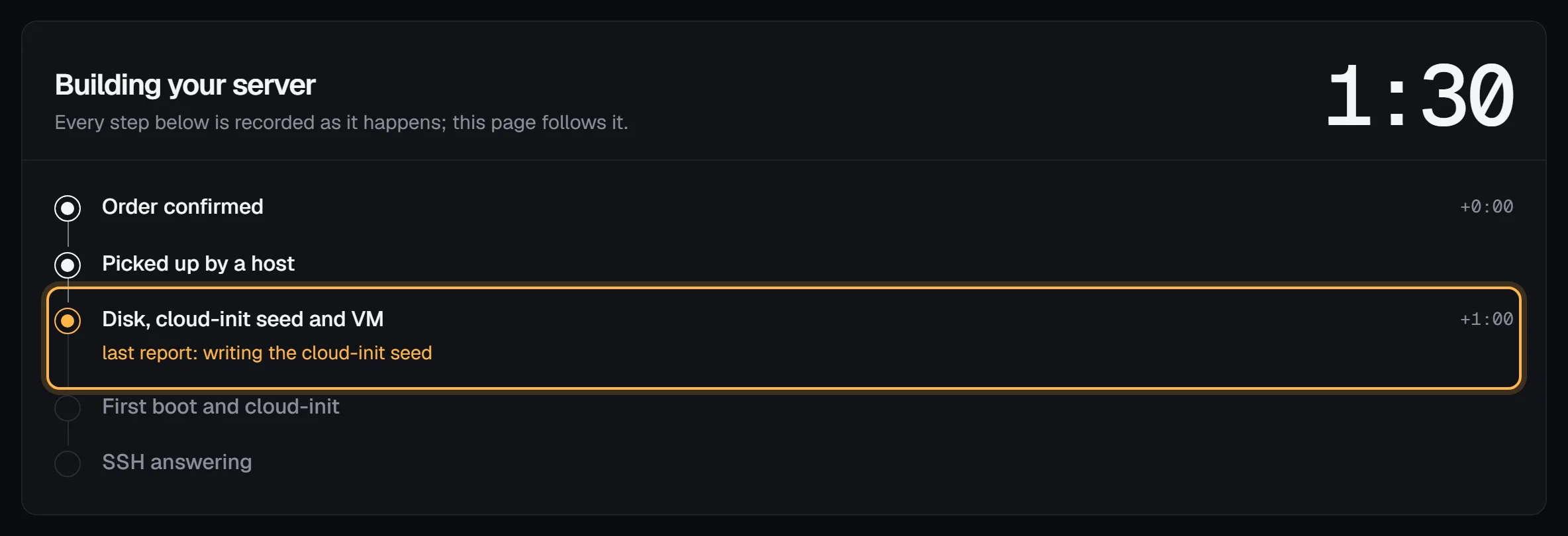
Watch your server build explains every step, what "SSH answering" checks, and what to do if SSH hasn't answered after 10 minutes.
Your first login
Root has no password on a new server, so you log in with your key, at the address the panel shows. 203.0.113.42 below is a placeholder:
ssh root@203.0.113.42If you picked an app, packages or a setup script, they're still installing when you first log in. tail -F /var/log/vps9-setup.log shows an app's or script's progress once the packages are in (/var/log/cloud-init-output.log covers the package installs), and some apps take a few minutes.
Connect to your server with SSH covers Linux, macOS and Windows. After that, give the server an hour: updates, keys, a firewall. The first-hour checklist goes through them in order.
From then on the server renews monthly or yearly, whichever you chose, with no setup fee; the renewal invoice comes 7 days before the paid period ends. You can cancel whenever you like, which stops the next renewal (unused time isn't refunded), and the money-back guarantee covers your first order for 14 days after you pay.
If the server isn't running a few minutes after the payment confirmed, open a support ticket with the invoice number and we'll look into it.