Restrict an API token to IP ranges
Limit a VPSNine API token to the addresses it runs from, such as a CI runner or an office network, so a leaked token is useless anywhere else.
When you make an API token, list the addresses or ranges it may be used from under Only from these addresses. From any other address the API refuses it with 403 ip_not_allowed, so a token that leaks from a log or an old laptop can't be used by whoever finds it.
What you need
- The fixed public address, or range, your script or CI runner connects from. A home connection whose address changes isn't a good fit.
- Your account password, to make the token.
Make a token limited to your addresses
Open Account → API tokens.
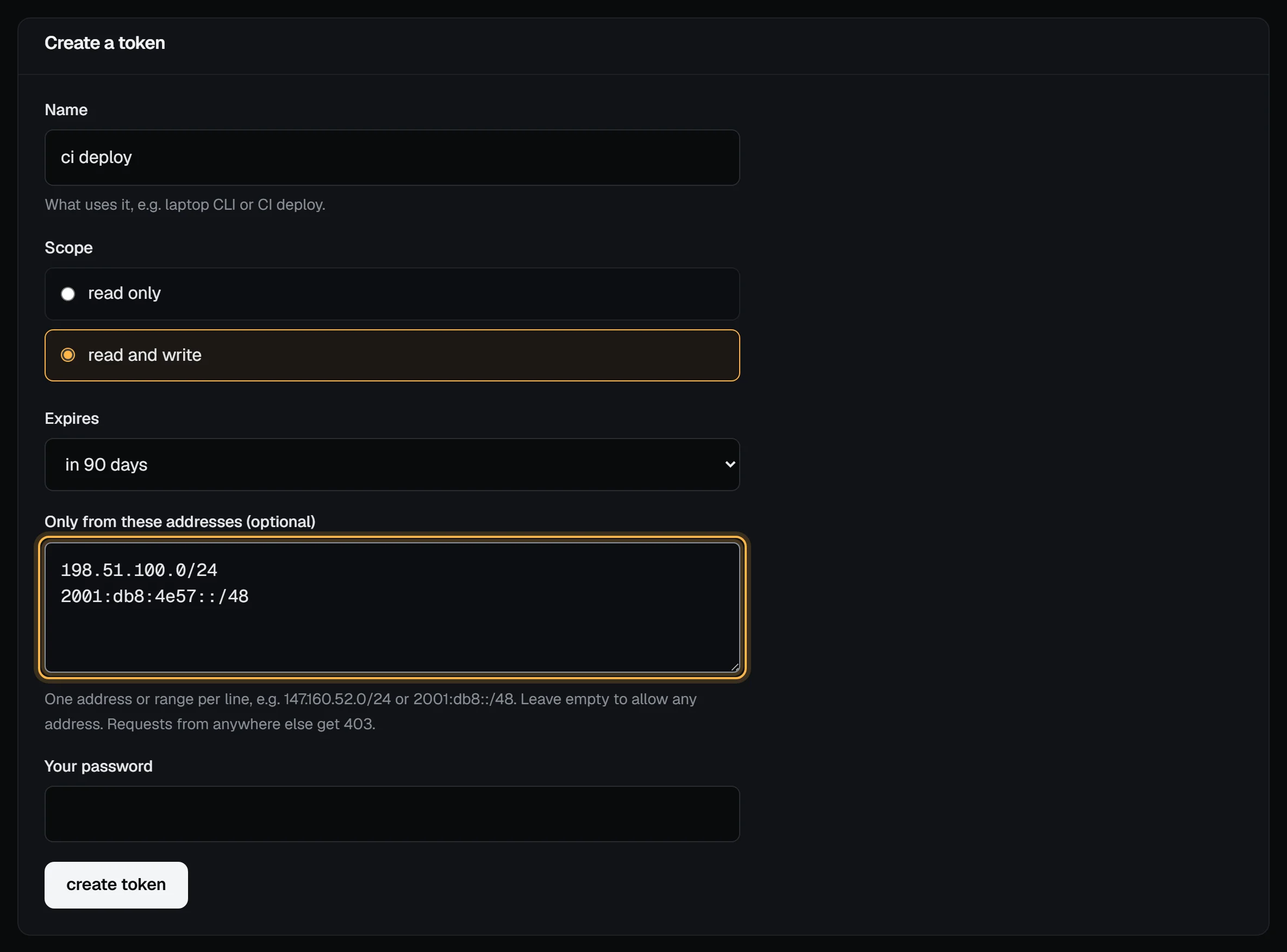
Under Create a token, give it a Name, pick a Scope and when it Expires.
In Only from these addresses (optional), put one address or range per line:
198.51.100.0/24
2001:db8:4e57::/48
203.0.113.7
Type Your password and choose create token. Copy the token: it's shown once.
Check it worked
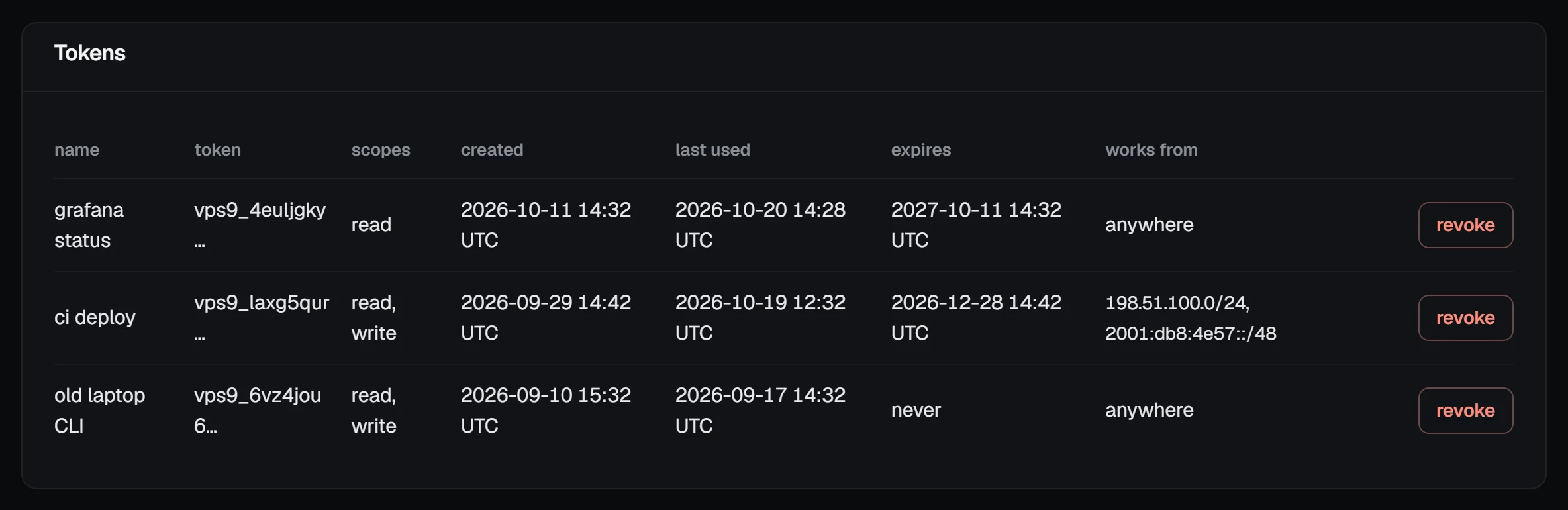
The token list shows the ranges in the works from column; an unrestricted token says anywhere.
Then call the API from the allowed machine, and once from somewhere else:
curl -s -H "Authorization: Bearer $VPS9_TOKEN" https://my.vpsnine.com/api/v1/meFrom the allowed address you get your account. From anywhere else:
{ "error": { "code": "ip_not_allowed", "message": "This token only works from 198.51.100.0/24, 2001:db8:4e57::/48; this request came from 192.0.2.10." } }The message names the address we saw, which is handy when a runner's address isn't what you expected.
The rules
- A single address (
203.0.113.7) or a range in CIDR form (198.51.100.0/24,2001:db8::/48). IPv4 and IPv6 both work. - Up to 10 per token. Separate them with new lines, spaces or commas.
- A range must start at its network address:
198.51.100.7/24is refused with "has host bits set: use 198.51.100.0/24". - Write IPv4 addresses in IPv4 form; the IPv4-mapped IPv6 form is refused.
- A request that arrives over IPv6 only matches IPv6 ranges, and IPv4 only IPv4. If your machine has both, list both.
- The limit is set when the token is made. To change it, make a new token with the new ranges, switch your script over, then revoke the old one.
It works for every token, team members' included, and on top of the token's scope and expiry. The security checkup counts a read-and-write token as limited when it expires or has address ranges.
Troubleshooting
403 ip_not_allowedfrom the right machine. The machine reaches us from a different address than you think, often IPv6. The error message says which; add it, or its range, to a new token.- "Up to 10 ranges per token." Merge addresses into a wider range, or split the work across two tokens.
- A CI service with addresses that change. Use its published ranges if it has them; otherwise leave the box empty and give the token a short expiry and only the scope it needs.