Switch a server between monthly and yearly billing
Move a VPSNine server to yearly billing to save two months a year, or back to monthly. The switch applies from the next renewal.
To switch a server to yearly billing, open the server, go to its Settings tab, and under Billing choose switch to yearly from the next renewal. The current paid period stays as it is; the next renewal invoice is for a year instead of a month. At the launch prices a year costs ten times the monthly price, so you pay ten months for twelve.
What you need
- A server whose plan has a yearly price (all three launch plans do).
- The owner, an admin or a billing member of the account.
What it saves
The billing overview works out the saving for each monthly server, at today's prices for the plan and its add-ons:
| Plan | 12 monthly renewals | One yearly renewal | You save |
|---|---|---|---|
| Budget | $95.88 | $84.00 | $11.88 |
| Standard | $155.88 | $139.00 | $16.88 |
| Extreme | $299.88 | $269.00 | $30.88 |
Add-ons are also billed at ten times their monthly price for a year. Current prices are on the plans page.
Switch to yearly
- Open the server from Servers, then its Settings tab.
- In the Billing box, choose switch to yearly from the next renewal.
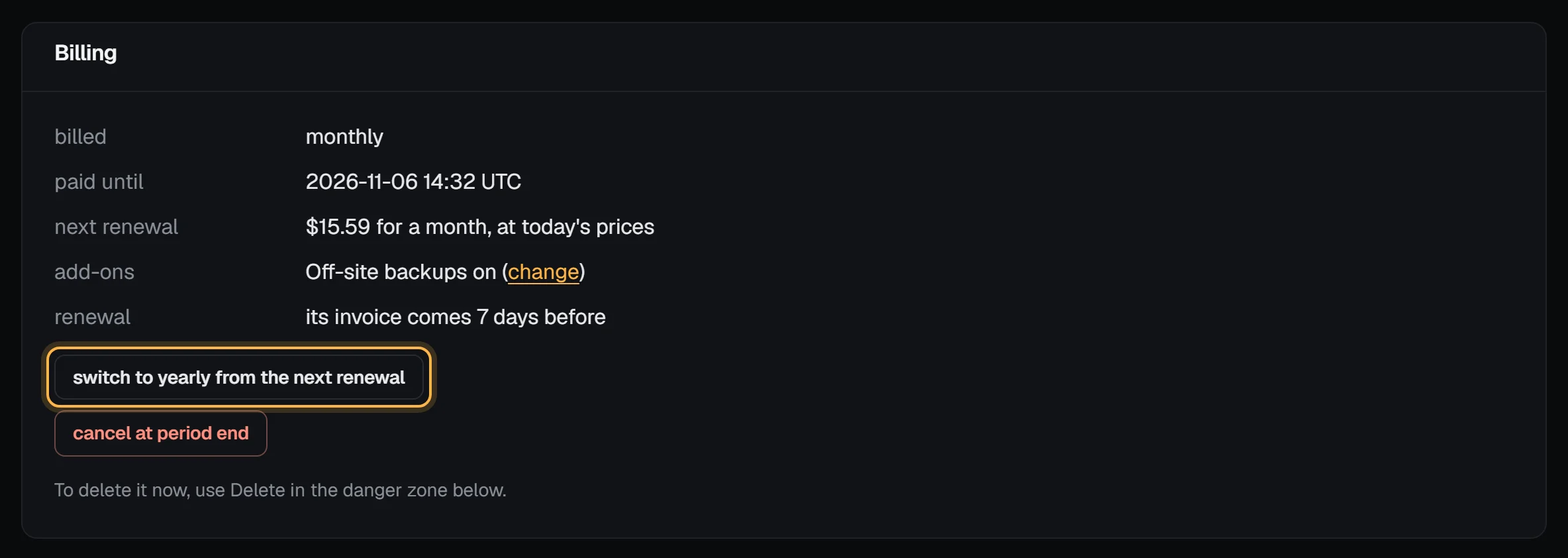
- A note at the top confirms that your next renewal is for a year and that nothing changes before then.
Check it worked
The billed line now reads "monthly; yearly from the next renewal", and next renewal shows the yearly amount. On the billing overview, the server drops out of the savings list and its upcoming charge becomes the yearly amount. When the renewal invoice is issued, 7 days before the paid period ends, it covers twelve months, and the server renews on the same day a year later.
Switch back to monthly
Choose switch to monthly from the next renewal in the same place. A yearly server renews monthly from its next renewal; the year you've paid for keeps running to its end. Unused time isn't refunded either way.
What to know
- The renewal invoice is already out. A renewal invoice keeps the term it was issued with. If the next one has been issued already, the switch applies to the one after it.
- A yearly renewal heads-up. We email you 30 days before a yearly server renews, with the amount and whether your credit covers it, so you have time to switch back or cancel before the invoice is issued.
- Paying for a year. A yearly invoice can be paid with Bitcoin or PayPal, and account credit pays it first like any invoice.
- Ordering yearly from the start. You can pick yearly when you order; see What happens when you order.
Troubleshooting
- "This plan can't be billed yearly yet." The plan has no yearly price right now, so it can only renew monthly.
- No switch button. It's hidden while the server is cancelling at the end of its period or being deleted. Choose keep this server first if you want to keep it.