Developers: the API, the CLI and OpenAPI
Everything for automating VPSNine in one place. The JSON API and its reference, the OpenAPI document, the vps9 CLI, request ids, rate limits and safe retries.
VPSNine has a JSON API at https://my.vpsnine.com/api/v1 for everything you do in the panel: ordering, powering and reinstalling servers, and managing keys, firewalls, snapshots, reverse DNS, add-ons, invoices and webhooks. The vps9 CLI, the TypeScript SDK and the OpenAPI document are all built on that one API, and this page shows which to reach for.
Pick a tool
| You want to | Use |
|---|---|
| Run a command now, or write a shell script | The vps9 CLI |
| Call the API from any language | The API reference, with examples in curl, JavaScript and Python |
| Generate a client, or import the API into Postman, Insomnia or Bruno | The OpenAPI document: openapi.json or openapi.yaml |
| Feed the reference to an LLM or a docs tool | api.md, the same reference as Markdown |
| See what changed | The API changelog |
| Let Claude, Cursor or VS Code manage servers for you | The MCP server, remote at https://my.vpsnine.com/mcp or local |
| Script in TypeScript or JavaScript | The TypeScript SDK (typed methods, retries, idempotency keys) |
| React to events instead of polling | Webhooks |
All of them need an API token. A read-only token is enough for anything that only looks; changing something takes a read-and-write token. For CI jobs and scripts, API tokens for CI and automation covers scopes, address limits and rotation.
The reference, and Try it
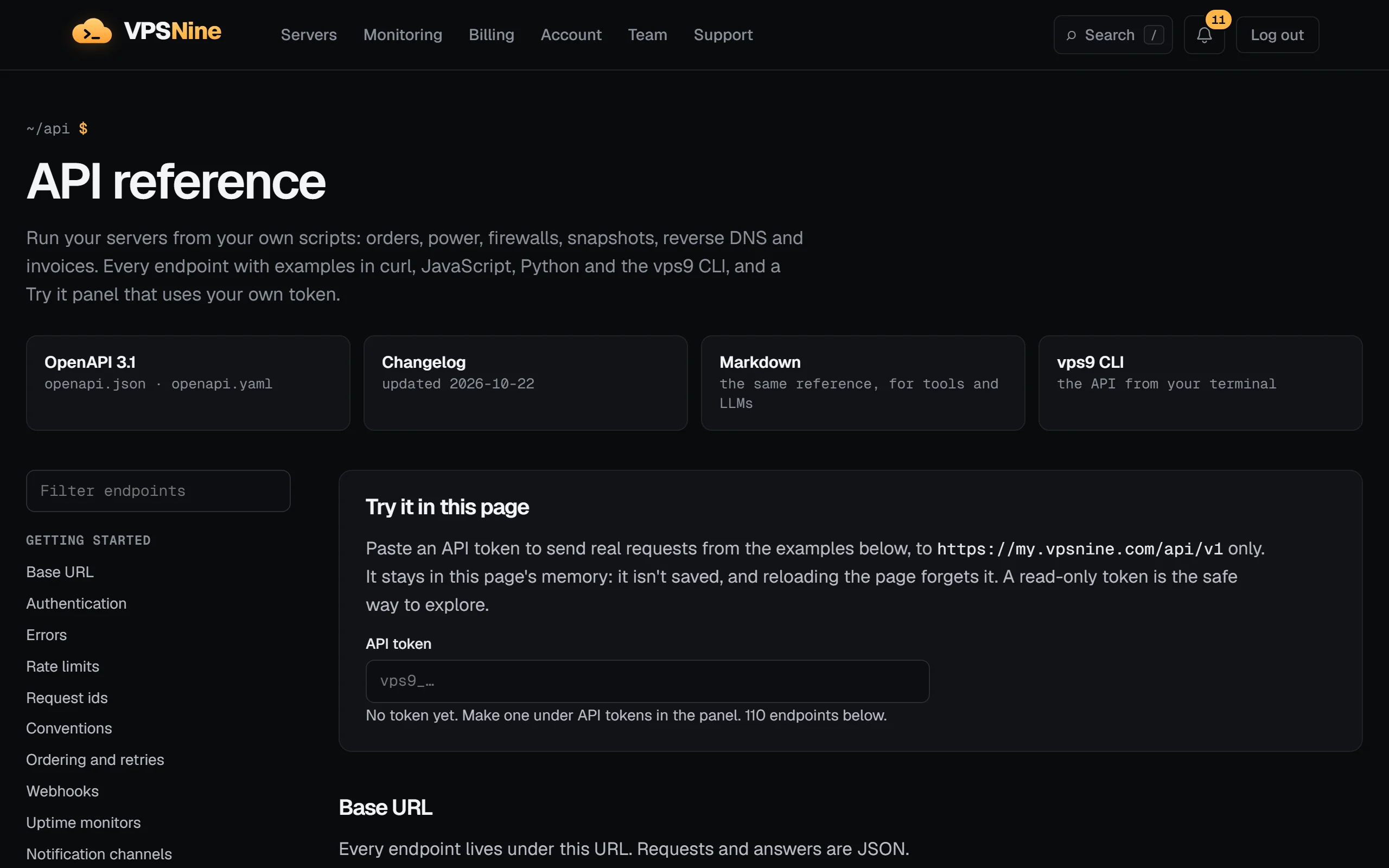
The API reference lists every endpoint with its parameters, its errors, an example answer and the same call in curl, JavaScript (fetch), Python (requests) and the vps9 CLI where it has the command. Your choice of language sticks as you move between endpoints.
Each endpoint has a Try it button. Paste a token and the page sends the request from your browser to my.vpsnine.com/api/v1 and shows the answer, its status and its request id. The token stays in the page: it isn't saved anywhere and goes to no other address, and reloading the page forgets it. Anything other than a GET asks you to tick a box first, because it really happens: a reboot reboots, a delete deletes, and an order makes an invoice. A read-only token is the safe way to explore.
OpenAPI
openapi.json is an OpenAPI 3.1 description of the whole API, made from the same source as the reference, so the two always agree. It has the schemas of every request and answer, the bearer-token security scheme, the error answers, the rate-limit headers and the Idempotency-Key and If-Match headers where they apply. Each operation also names its scope (x-scope), its error codes (x-error-codes) and its vps9 command (x-cli).
Load it by URL in most API tools, or generate a client with openapi-generator 7.20.0 or later; Use the OpenAPI spec has the steps for Python, Postman, Insomnia and Bruno:
curl -sO https://my.vpsnine.com/api/openapi.json
docker run --rm -v "$PWD:/local" openapitools/openapi-generator-cli:v7.20.0 generate \
  -i /local/openapi.json -g python -o /local/vps9-client --package-name vps9_client
Request ids
Every answer carries an X-Request-Id header, like req_7d2kq4m5x3n6p2r4s7t2v3w4, and every error repeats it:
{"error":{"code":"not_found","message":"No such server.","requestId":"req_7d2kq4m5x3n6p2r4s7t2v3w4"}}If something looks wrong, put the request id in your support ticket. We log each request under its id with the route, the status and how long it took (never your token or what you sent), so we can find exactly that call. The vps9 CLI prints the request id under any error the API gives.
Rate limits
Each token can make 60 requests a minute, and each account 120 across all its tokens. Answers tell you where you stand:
| Header | Meaning |
|---|---|
X-RateLimit-Limit |
60, or 120 once the account's limit is the nearer one |
X-RateLimit-Remaining |
Requests left this minute |
X-RateLimit-Reset |
Seconds until the minute starts again |
Past the limit you get 429 rate_limited with a Retry-After header in seconds. Slow down when X-RateLimit-Remaining gets low rather than waiting for the 429. Rate limits and request ids has retry helpers for shell and Python, and the other limits (orders, reverse DNS, rescue).
Retrying safely
Some failures are worth trying again unchanged: 429, 500 and 503 (a 503 from the API means nothing changed). A 4xx means the request itself needs changing.
Be careful with a POST that timed out: it may have worked. Reading, replacing (PUT) and deleting can always be sent again, because doing them twice ends the same way. Ordering a server is the exception that matters, so POST /servers takes an Idempotency-Key header. Send the same key on every retry of one order and you get that order back instead of a second one:
ORDER_KEY="$(uuidgen)"   # keep it until you have an answer
curl -s -X POST -H "Authorization: Bearer $VPS9_TOKEN" -H "Content-Type: application/json" \
  -H "Idempotency-Key: $ORDER_KEY" \
  -d '{"plan":"standard","image":"ubuntu-24.04","hostname":"web-1","sshKeyIds":["key_…"]}' \
  https://my.vpsnine.com/api/v1/servers
vps9 servers create --idempotency-key does the same from the CLI. Idempotent orders covers the key's rules and the idempotency_key_reused error.
Waiting for work to finish
Work that happens on the server (building, rebooting, reinstalling, snapshots, firewall changes) answers 202 straight away and finishes in the background. Read the object again to follow it: a server's pendingAction goes back to null, a snapshot's state becomes ready, a firewall's status becomes applied. Every few seconds is plenty; most actions take under a minute.
Webhooks instead of polling
Rather than reading a server every few seconds, register an HTTPS endpoint and we send it signed JSON events as they happen: server.ready, snapshot.completed, alert.triggered, invoice.paid and more. Webhooks and verifying their signatures covers the panel side; Receive VPSNine webhooks in Node.js and Python builds a small receiver that checks every signature, and Slack and Discord alerts from VPSNine webhooks relays events to chat.
Editing the firewall without overwriting someone else
GET /servers/{id}/firewall sends an ETag like "r3". Send it back as If-Match on your PUT and the save only happens if nobody saved since; otherwise you get 412 firewall_changed and nothing changes. The CLI does this for you on every firewall edit.
The site from a terminal
curl vpsnine.com answers with text made for a terminal: the plans with their current prices, a line of live status and the commands to try next. The same works for /plans, /status, /faq, /help and every guide and blog post, so curl vpsnine.com/help/ssh-keys reads a guide without leaving the shell. curl, Wget, HTTPie and xh get colors; add ?nocolor for plain text, and ?width=100 to wrap at another width. Any client that sends Accept: text/plain gets the plain version too. Browsers get the normal page at the same address.
For scripts there are two JSON files that need no token: plans.json, with every plan's specs, its live price in US cents and the add-ons, and locations.json. With jq:
curl -s https://vpsnine.com/plans.json | jq -r '.plans[] | "\(.name)\t\(.price.monthly // "at launch")"'AI tools (MCP)
The VPSNine MCP server gives AI assistants the API as tools: Claude Code, Cursor and VS Code connect to https://my.vpsnine.com/mcp with a token in the Authorization header, and Claude Desktop runs a small local program. Each tool call is an API request with the token's scopes, role and limits. Ordering and add-on changes answer with the price first, and reinstalling, deleting and reverting need the server's hostname typed back.
Where next
- API quickstart: your first calls in curl, JavaScript, Python, the SDK and the CLI.
- Create and use API tokens: scopes, expiry and keeping a token safe.
- Install the vps9 command-line tool and the vps9 cheat sheet.
- Use VPSNine from Claude, Cursor and other AI tools (MCP).
- The API reference and its changelog.
Tutorials
Step-by-step guides for common automation, each tested against a local copy of the API:
- Use curl and jq with the VPSNine API
- Deploy on push with GitHub Actions and the VPSNine API
- Create and destroy preview servers per pull request
- Script your infrastructure with the TypeScript SDK
- Manage VPSNine servers with Ansible
- Automate snapshots before risky changes with the CLI
- All development tutorials
Doing it on VPSNine
Everything here works with any plan: the API, the CLI and webhooks come with every account.